Penetration Testing 101: The Good, the Bad, and the Hackers
Unlock the secrets of penetration testing and learn how to save the day (one vulnerability at a time)!

Welcome to the wild world of penetration testing! Where the good guys act like bad guys to save the day. Confused? Don’t worry, we’ve got you covered! In this article, we’ll take you on a journey through the basics of penetration testing, and show you how it can help you save the day (one vulnerability at a time)!
What is Penetration Testing?
Penetration testing, or pen testing, is like a security audit on steroids. It’s a simulated cyber attack on your computer system to test its defences. Think of it like a fire drill for your network. But instead of just checking if your fire alarm works, we’re checking if your network can withstand a real attack.
Types of Penetration Testing:
-
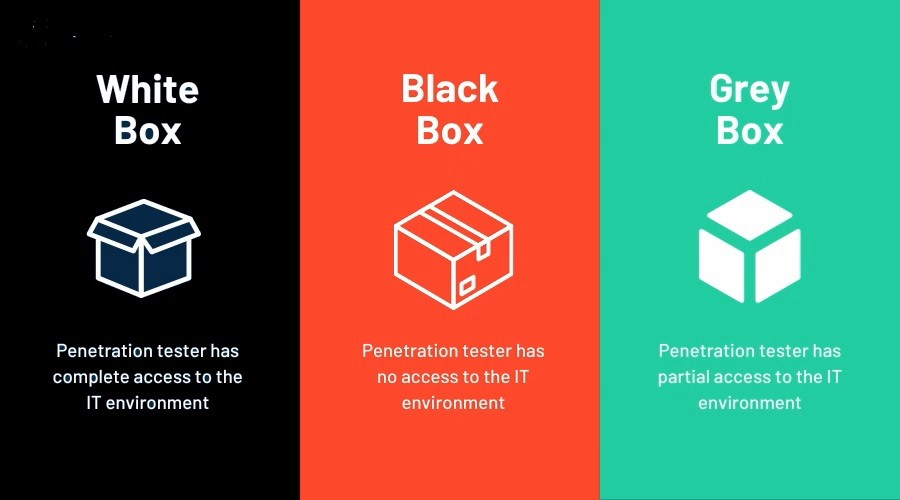
Black Box: We don’t know anything about your system (just like a real attacker). We’ll try to break in from scratch, just like a hacker would.
- Real-Life Example: Imagine a burglar trying to break into a house without any knowledge of the locks or security system. They have to figure everything out on their own.
-
White Box: We have all the details about your system (like a trusted friend). We’ll use that information to find vulnerabilities and exploit them.
- Real-Life Example: Think of a home inspector who has access to the house’s blueprints and can see all the weak points in the structure.
-
Gray Box: We have some information, but not everything (like a curious neighbour). We’ll use that information to get started, but then try to find more vulnerabilities on our own.
- Real-Life Example: Imagine a neighbour who knows you leave a spare key under the mat but doesn’t know about your alarm system. They have some info but need to find out the rest.
What Happens During a Penetration Test?
-
Reconnaissance: We gather info about your system (like a spy). We’ll use publicly available information, like your website or social media, to learn more about your system.
- Real-Life Example: This is like a detective collecting clues from social media profiles, public records, and other sources to build a profile on someone.
-
Scanning: We use tools to find vulnerabilities (like a metal detector). We’ll scan your system for open ports, services, and other potential weaknesses.
- Real-Life Example: Imagine using a metal detector to find buried treasure. We’re looking for anything that could be a potential entry point.
-
Exploitation: We try to break in (like a hacker). We’ll use the vulnerabilities we found to try and gain access to your system.
- Real-Life Example: This is like finding a weak window lock and using it to enter a house.
-
Post-Exploitation: We see what we can do once we’re inside (like a curious explorer). We’ll try to navigate your system, find sensitive data, and see what kind of damage we can do.
- Real-Life Example: Think of a thief who has broken into a house and is now looking for valuables, important documents, or anything else of value.

Reporting and Remediation:
After the penetration test, we’ll provide you with a detailed report of our findings, including:
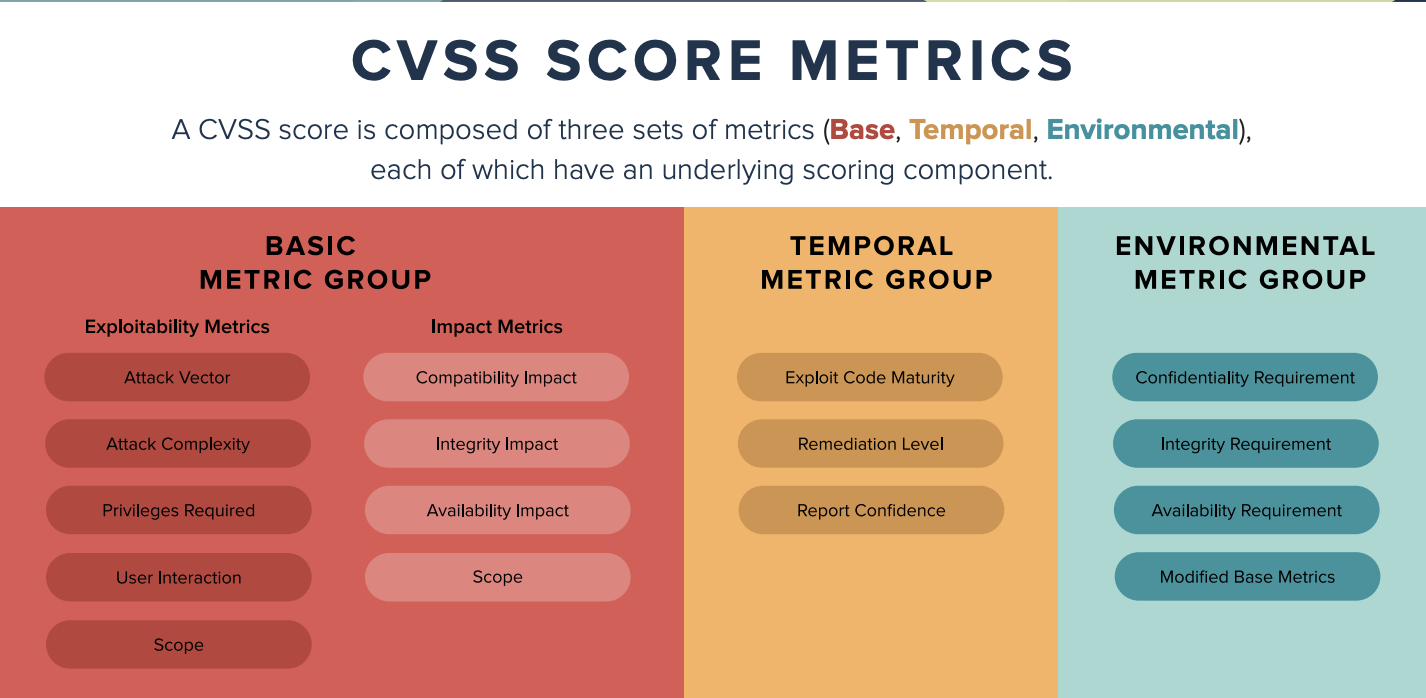
- A list of vulnerabilities we found, along with their severity and potential impact
- Recommendations for remediation, including patches, configuration changes, and other fixes
- A summary of our testing methodology and the tools we used
Conclusion
Penetration testing is like a superpower for your network’s security. It helps you find vulnerabilities before the bad guys do, and shows you how to fix them. So, what are you waiting for? Get your penetration testing superpowers today!

Happy hacking…:)